Release Notes: February 27, 2026

⚠️ Important Note: Missed Inspections were triggered in error for 2/10/2026 and 2/11/2026. This issue has been corrected and there is no further action is required.

📱 Note: This release relates to iOS 6.0.4 and Android 4.68.0 Tenna App versions. Ensure you have downloaded the newest version to receive these updates!

Key Enhancements

🚨The following enhancements are live on Friday, February 27, 2026.

Resource Management Enhancements

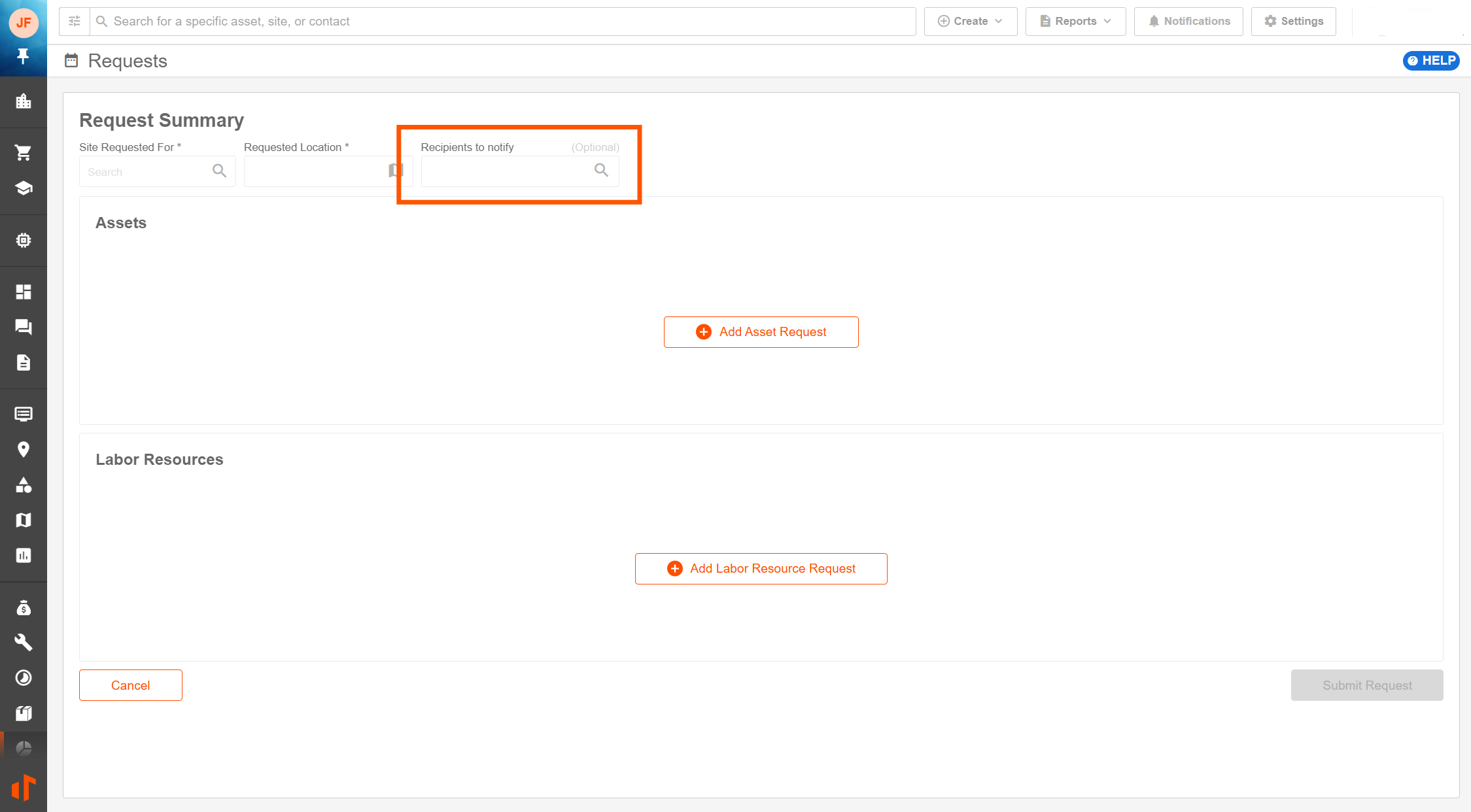
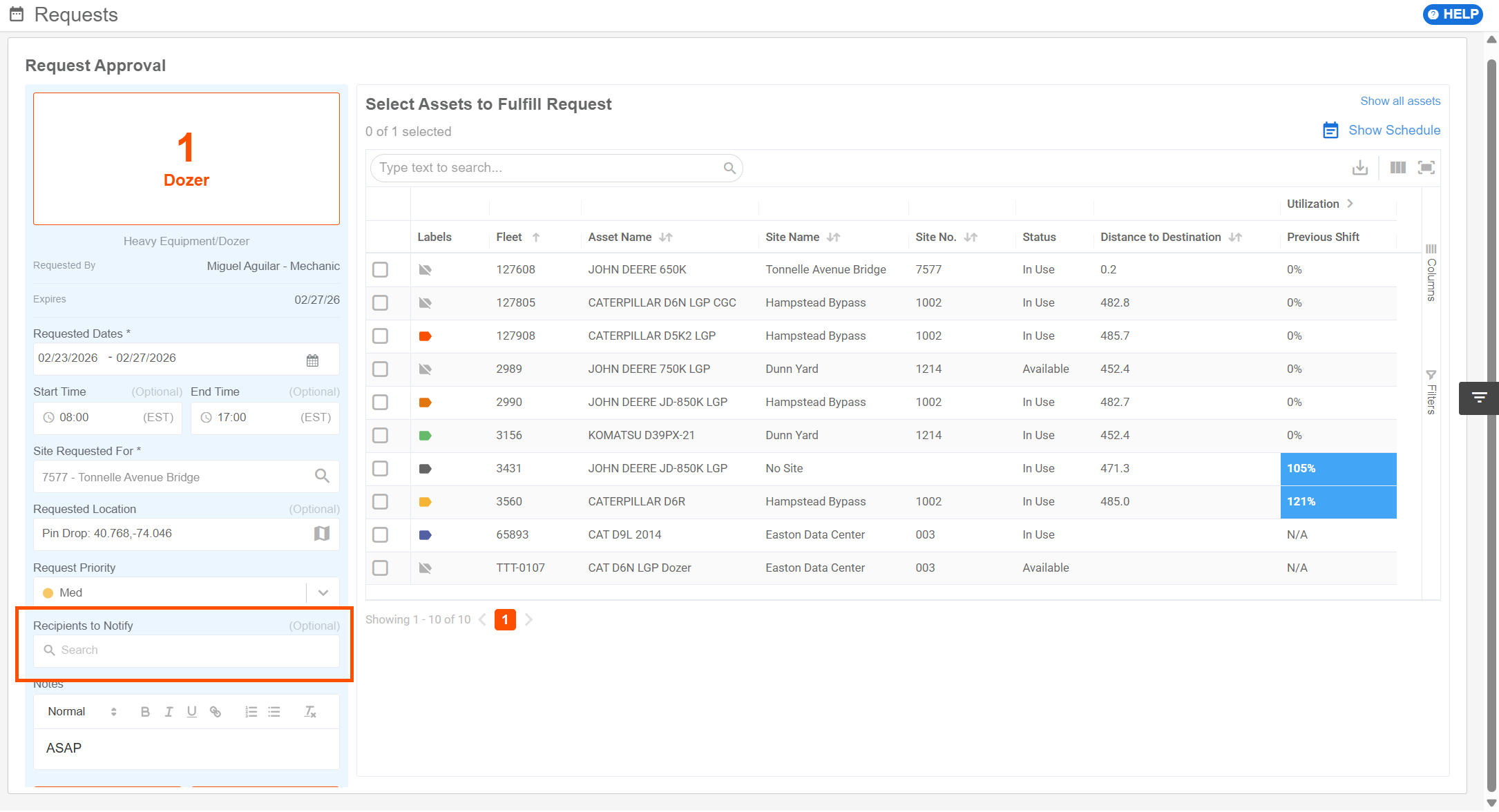
Recipients to Notify in Edit and Approve Requests Screen

Users can now optionally add a Recipient to Notify for requests in Resource Management. The field is now included on the following screens:

  • Create/Edit Asset Request
  • Create/Edit Labor Resources Request

Safety & Compliance Enhancements

Enhance Speed Limit Algorithm to Avoid Erroneous Speeding Violations

  • Improves how speed limit information is used during live event processing, reducing cases where outdated or incorrect speed limits cause false speeding violations.
  • Refined speeding detection by ignoring very low (below 15 mph) speed limits - commonly associated with parking lots and similar areas - so that speed scorecards focus on meaningful road-speed behavior instead of noise.

Tenna App Enhancements

Safety & Compliance Enhancements

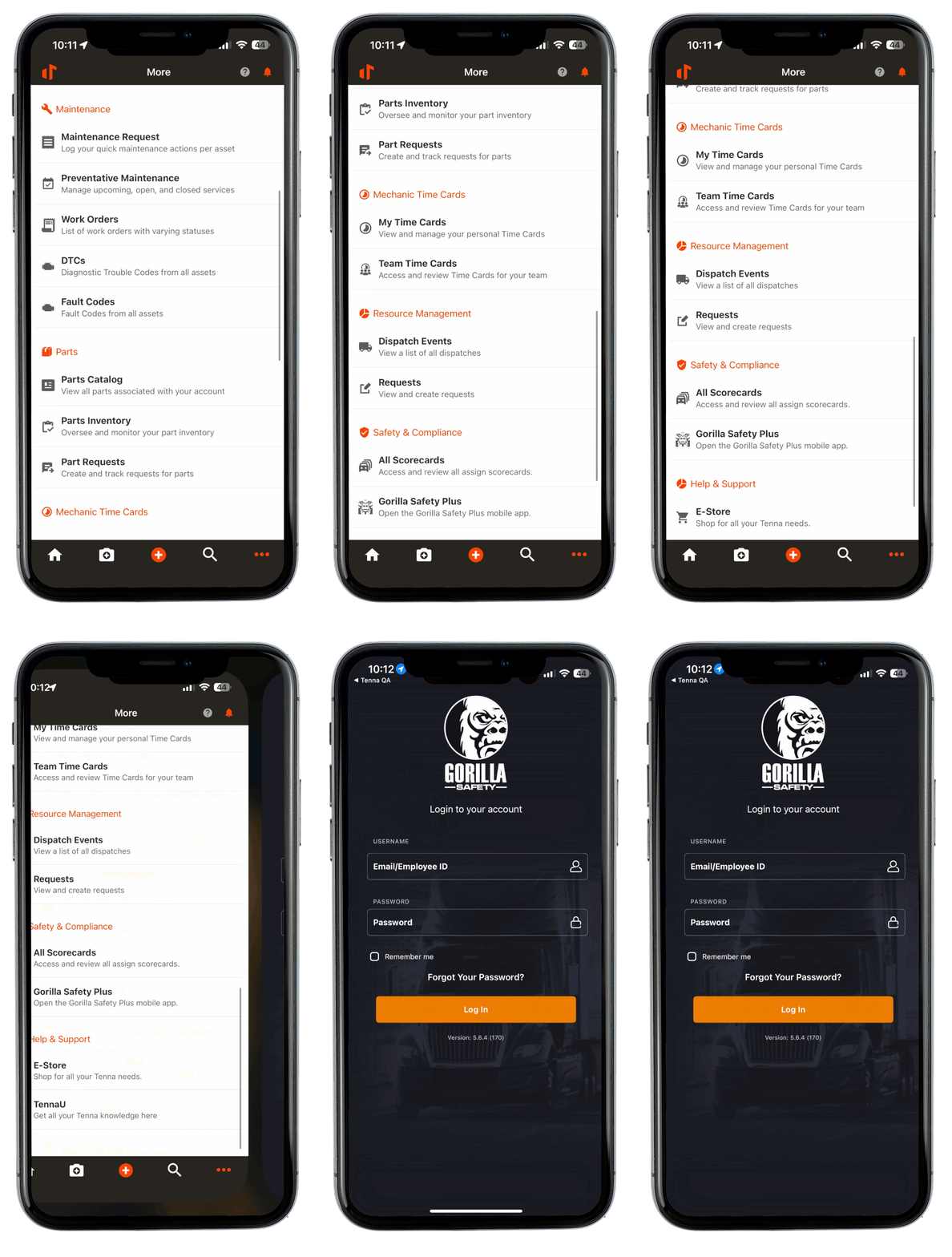
ELD users can now quickly access Gorilla Safety Plus from the More Menu in the Tenna App.

Note: This will only show for users with the ELD license enabled.
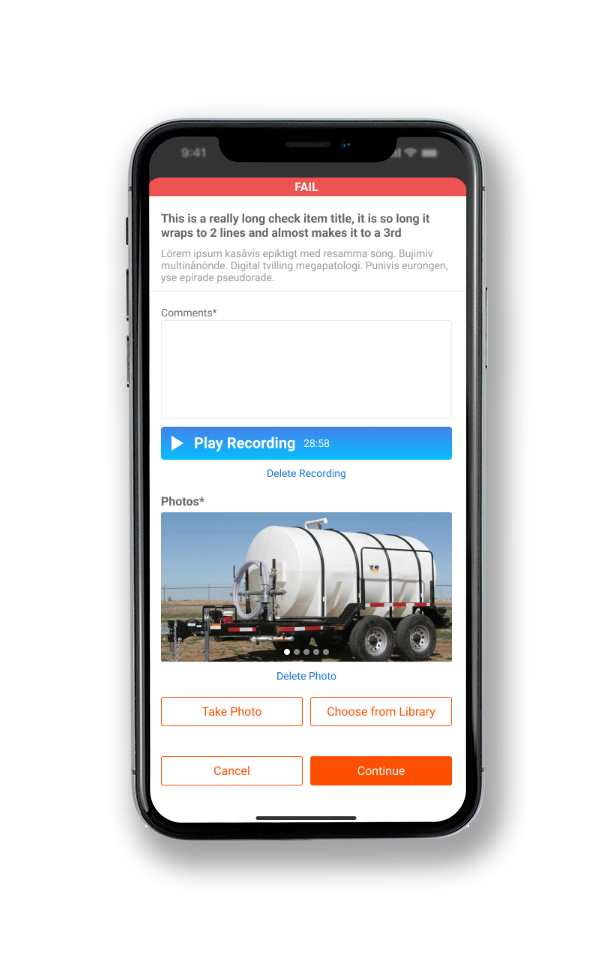
“Take Photo” and “Choose From Library” Actions in Inspections

Users now have two options when capturing photos in an inspection (including DVIR) in the Tenna App. Inspectors can tap to take a photo or choose a photo from their library.
Asset Enhancements

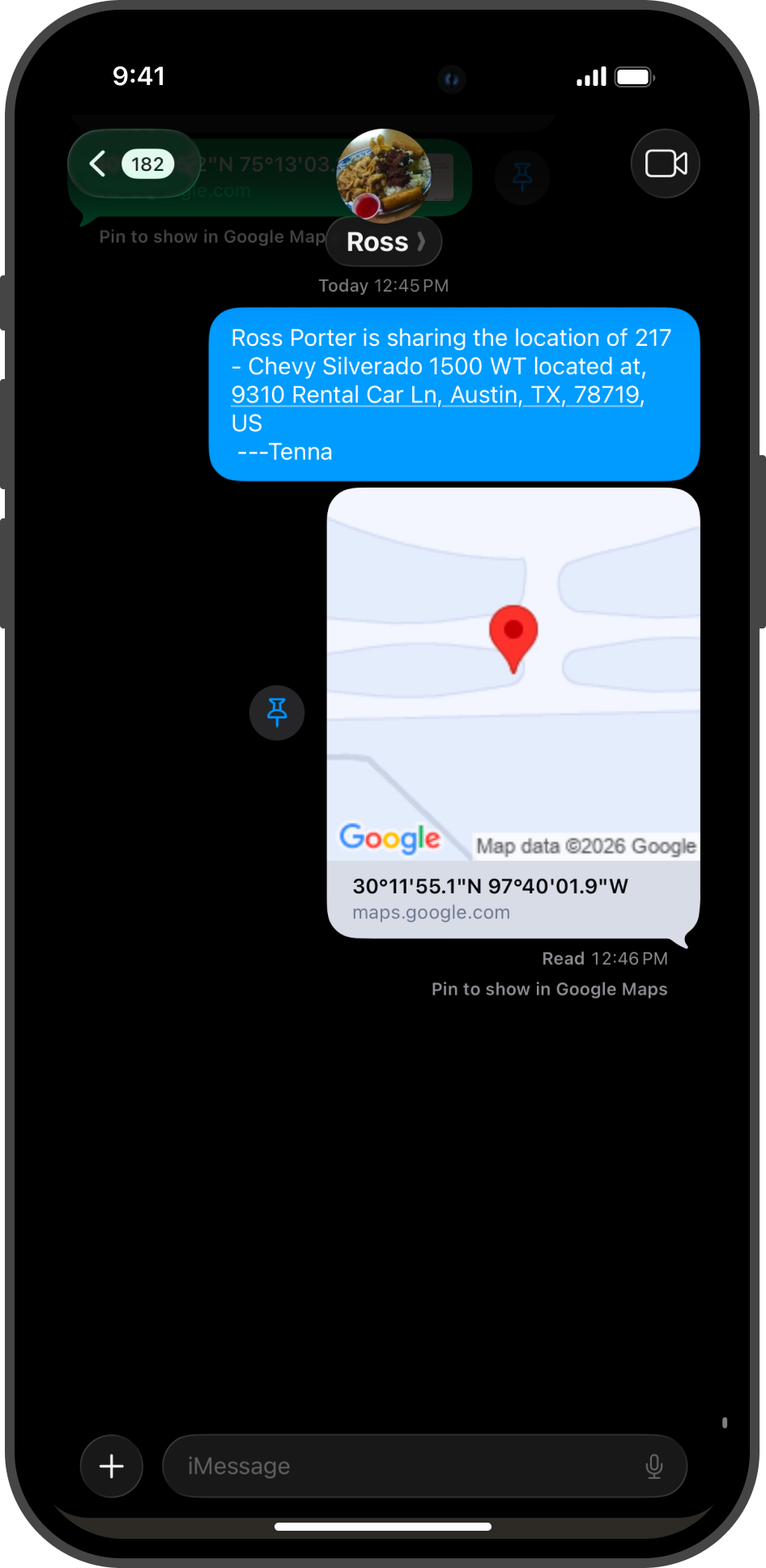
Fleet Number now included when sharing Asset location

When sharing an asset’s location from the Location tab in Asset Details, the asset’s Fleet Number will be included.
Reports & Grids

Report/Grid Enhancement
General Utilization Reporting Updates Updated key utilization and financial reports (including several Global Reports) to align with the new utilization logic and site types, improving the accuracy and consistency of utilization-based financial insights.
General Site Utilization Updates Utilization Views, Site Details, Asset Details grids and exports reflect “Site Utilization”
Resource Request Detail Report Added “Requested By” and “Approved By” fields

🚨 The following will be live on Friday, March 6, 2026.

Configurable Utilization

Utilization shows how much your assets are actually used during the workday - the end result being productivity yield or waste. With configurable utilization, you choose the calculation rule that best matches how each asset category is expected operate. Thus, giving you accurate, explainable data for sites, assets, and asset efficiency.

✅ Benefits you’ll notice:

  • Better decisions: Spot underused assets and right-size your fleet.
  • Clear site attribution: See which projects actually used the asset.
  • Flexible by category: Match rules to how equipment truly operates.
  • Utilization algorithms were previously determined by the installed tracker, now users can define at the category and utilization rule level.
  • Work Hours per Day can now be defined at the rule level. Previously only one value was supported at the account level.
  • AEMP tracked assets are always eligible for utilization processing, no longer need to enable prior to capturing data.
  • Manual Adjustments to meter in the Tenna App will count towards utilization while the asset doesn’t have a tracker. Ideal for capturing utilization while tracker is removed for troubleshooting.
  • Sites now support “Work Hour per Day” overrides. Ideal for adapting to double shift work.

New! Utilization Rules

  • Time-Based Majority (formerly “Pie Winner”)
  • Time-Based Split (formerly “Pie Slices”)
  • Usage-Based
  • Usage-Based Ignore Idle
  • None

Effective March 6, 2026, all existing assets will migrate to configurable utilization. Tenna will assign default utilization rules based on the asset’s Category Type:

  • Trucks, Vehicles, Equipment: Usage Based
  • Tools, Attachment, Materials, Consumables: No Utilization Rule

“Work Hours per Day” is moving from a single setting to a modifiable value for each rule. Upon migration, each rule’s denominator value shall be equal to what had been established in the account’s General Configurations.

New reports for users to gain insights into Utilization Rules and Site Overrides that might be in place.

  • Utilization Rules Association Detail: New report that clearly shows how utilization rules are associated with assets, helping administrators identify gaps or incorrect assignments.
  • Site Utilization Override Detail: New report that shows established utilization rule overrides currently associated with sites, helping users catch overrides that may not align with customer SOPs

Did this answer your question? Thanks for the feedback There was a problem submitting your feedback. Please try again later.