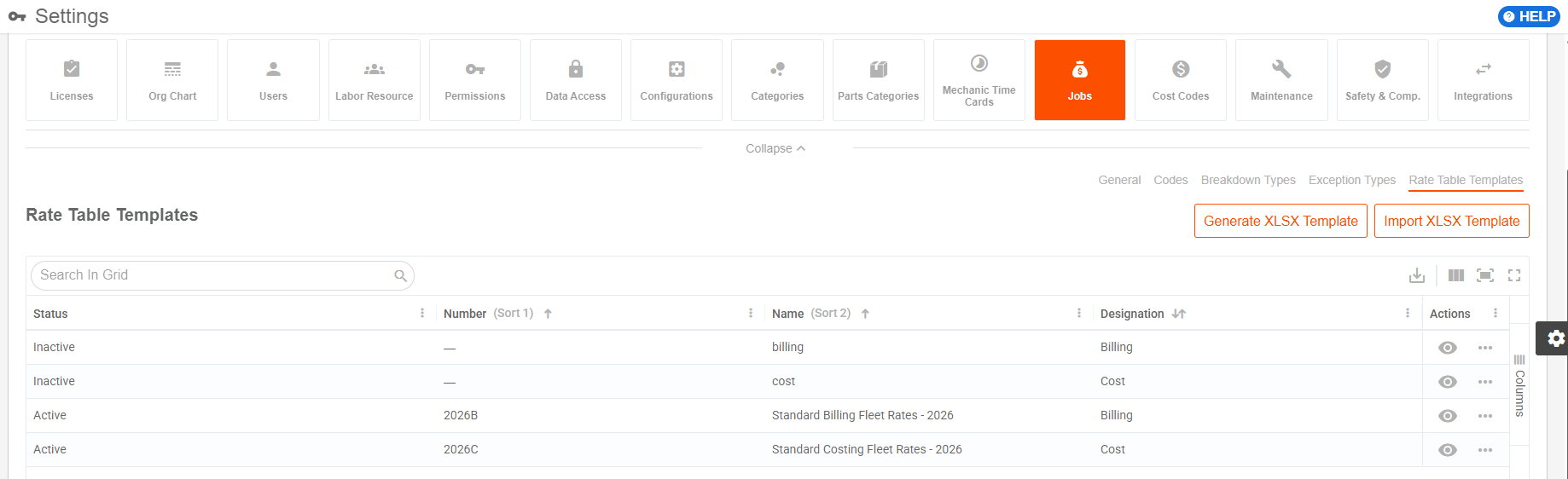
Jobs Permissions, Notifications, and Configurations Overview (Desktop)
The Jobs Permissions, Notifications, and Configurations must be set up properly so that the Jobs feature flows efficiently and effortlessly for your organization. The following will review all available Jobs settings, as well as best practices for setting them up for your company.
For step by step instructions on how to set up Permission Codes and assign them to Permission Groups, view How to Configure Permissions & Notifications (Desktop).
Permission Requirements:
- Power Users may access and edit all permissions, notifications and configurations.
- Users with the “Manage Permissions” permission enabled may configure permissions and notifications.
- Users with the “Manage Configurations” and “Manage Job Settings” permissions enabled can access and edit configurations.
Data Access Control applies to the Assets and Asset Cost/Billing Entries Management.
💥Jobs - Financials is a premium product and requires a separate license. Please contact your Account Manager for more information on premium product licenses or reach out to Customer Support at help@tenna.com or call 888.836.6269.
In this article:
Jobs Permissions Overview
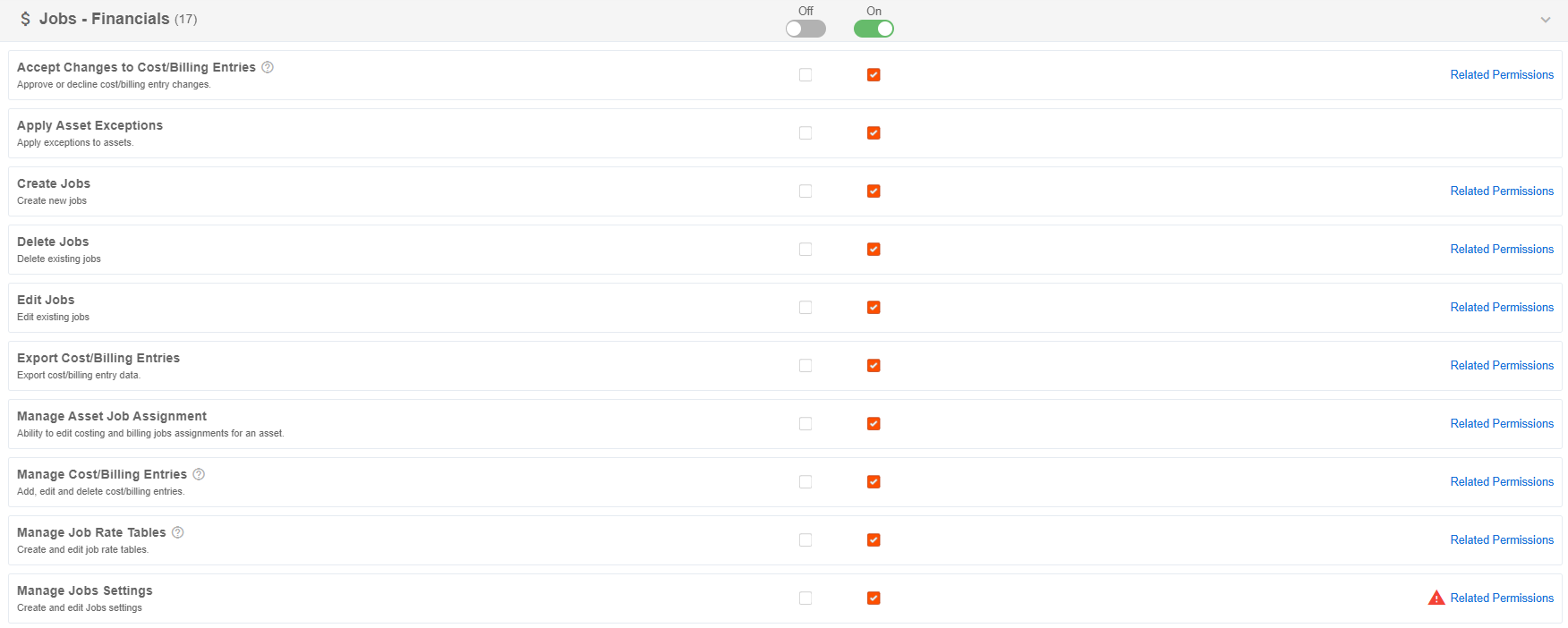
| Permission | Allows User To | Other Required Permissions | Optional Permissions |
|---|---|---|---|
| Accept Changes to Cost/Billing Entries | Approve or decline changes made to cost/billing entries when the "Entry Changes Approval" is enabled under Settings. This is required for any edits to take effect. This is only needed if the approval workflow is enabled. | View Cost/Billing Entries | Manage Cost/Billing Entries; Process Cost/Billing Entries; Export Cost/Billing Entries |
| Apply Asset Exceptions | Apply exceptions configured under Settings, such as Standby, Down, On Hold, etc. to assets. |
|
|
| Create Jobs | Create Jobs (i.e., button in the All Jobs page) | View Jobs | Edit Jobs |
| Delete Jobs | Delete existing Jobs | View Jobs | Edit Jobs; Create Jobs |
| Edit Jobs | Edit existing Jobs | View Jobs | Create Jobs |
| Export Cost/Billing Entries | Export cost/billing entry data (Access to the “Export” button on the Cost and Billing Entries grid) | View Cost/Billing Entries | Manage Cost/Billing Entries; Accept Changes to Cost/Billing Entries; Process Cost/Billing Entries |
| Manage Asset Job Assignment | Edit costing and billing jobs assignments for an asset. |
|
Create Jobs; Delete Jobs; Edit Jobs; Manage Jobs Settings; View Jobs |
| Manage Cost/Billing Entries |
Add, edit, and delete cost/billing entries, including modifying rate values, final values, and cost/billing amounts. The user must also have the "Accept Changes to Cost/Billing Entries" permission to approve changes made to entries. This is only needed if the approval workflow is enabled. |
View Cost/Billing Entries | Accept Changes to Cost/Billing Entries; Process Cost/Billing Entries; Export Cost/Billing Entries |
| Manage Job Rate Tables |
|
View Job Rate Tables; View Rate Table Templates; Edit Jobs | View Cost/Billing Entries |
| Manage Job Settings | Access to the Settings > Jobs tile. Create and edit Jobs settings/configurations. | Manage Configurations |
|
| Manage Rate Table Templates |
|
View Rate Table Templates; View Jobs | View Job Rate Tables |
| Process Cost/Billing Entries | Enables the Process action on the Billing Entries and Cost Entries pages. | View Cost/Billing Entries | Manage Cost/Billing Entries; Accept Changes to Cost/Billing Entries; Export Cost/Billing Entries |
| View Asset Job Assignment |
View costing and billing jobs assignments for an asset. Also controls visibility of certain widgets in Jobs Overview Dashboard. (View table below) |
|
|
| View Cost/Billing Entries | Gives read-only access to Billing Entries and Cost Entries pages. |
|
Manage Cost/Billing Entries; Accept Changes to Cost/Billing Entries; Process Cost/Billing Entries; Export Cost/Billing Entries |
| View Job Rate Tables | Gives read-only access to Job Rate Tables. |
|
Manage Job Rate Tables |
| View Jobs |
Gives read-only access to Jobs. Also controls visibility of certain widgets in Jobs Overview Dashboard. (View table below) |
|
|
| View Rate Table Templates | Gives read-only access to Job Rate Tables Templates. |
|
Create Jobs; Edit Jobs |
Other Suggested Permissions for Jobs
The Jobs Overview Dashboard widgets require certain permissions to show for users.
| Widget/Chart | Permissions Required |
|---|---|
| Uncaptured Utilization Widgets |
|
| Most Utilized Assets w/ No Billing or Cost | Users must have the “Asset Utilization” and “View Asset Job Assignment” permissions. |
| Job Assignment Health by Site | Users must have the “View Asset Job Assignment” permission. |
| Asset Utilization by Automation Type | Users must have the “Asset Utilization” and “View Asset Job Assignment” permissions. |
| Asset Automation & Assignment Coverage Widgets |
|
| Asset Job Assignment | Users must have the “View Asset Job Assignment” permission. |
| Asset Job Automation by Category | Users must have the “View Asset Job Assignment” permission. |
| Asset Job Automation by Organization | Users must have the “View Asset Job Assignment” permission. |
| Asset Job Automation Trends | Users must have the “View Asset Job Assignment” permission. |
| Job Automation Coverage |
|
| Job Automation | Users must have the “View Jobs” permission. |
| Jobs with Most Manually Assigned Assets | Users must have the “View Jobs” and “View Asset Job Assignments” permissions. |
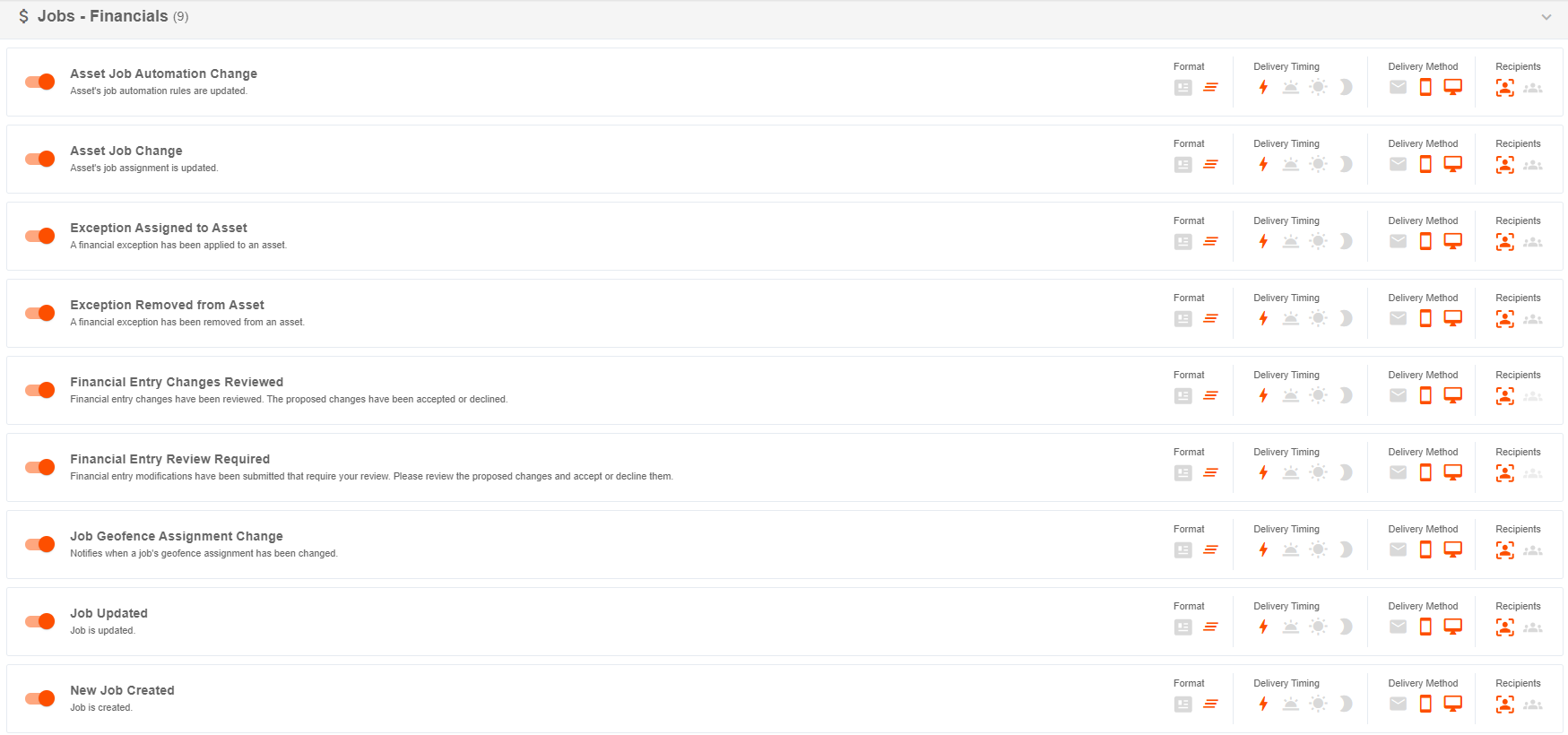
Jobs Notifications Overview
| Notification | Description | Relevant Users |
|---|---|---|
| Asset Job Automation Change | Asset's job automation rule changes. | Asset Job Assignment Editor, Asset assignees |
| Asset Job Change | Asset's job assignment is updated. | Asset Job Assignment Editor, Asset assignees, Job Points of Contact |
| Job Geofence Assignment Change | Job's geofence assignment for automation changes. | Geofence Editor and Job Points of Contact |
| Job Updated | Job is updated. | Job Editor and Job Points of Contact |
| New Job Created | A new Job is created. | Job Creator and Job Points of Contact |
| Exception Applied to Asset |
Sends a notification when an exception (Down, Standby, Transit, On Hold, etc.) is applied to an individual asset, affecting its financial cost. Includes bulk updates to assets and generates individual notifications for each asset updated in bulk. |
Asset Assignee, Asset Exception Editor, Job PM, Job Superintendents, Job Accountants |
| Exception Removed from Asset | Notifies when an exception is removed from an asset. | Asset Assignee, Asset Exception Editor, Job PM, Job Superintendents, Job Accountants |
| Financial Entry Changes Reviewed | Financial entry changes have been reviewed. The proposed changes have been accepted or declined. | Users with “Accept Changes to Cost/Billing Entries” permission enabled, User who submitted changes, Job Accountants |
| Financial Entry Review Required | Financial entry modifications have been submitted for review. | Users with “Accept Changes to Cost/Billing Entries” permission enabled, Job Accountants |
Jobs Configurations Overview
The following configurations must be appropriately set up so that the Jobs feature works in ordinance with your accounting workflows.
General Job Settings
- Job Types: Categories used to classify jobs by the kind of work being performed, such as construction, service, maintenance, or internal work.
- Job Statuses: Configurable labels that indicate where a job is in its lifecycle, such as active, pending, completed, or closed.
- Visibility and Automation Defaults: Default settings that determine whether jobs are visible to users and how job assignment automation behaves when new jobs or assets are created.
- Rental Asset Inclusion: Controls whether rental assets are included in job-related assignment, cost, billing, automation, and reporting workflows.
- Approval Workflow: Determines whether changes to cost and billing entries must be reviewed and accepted before they take effect.
- Breakdown Units: Units of measure used to break down job costs, billing, utilization, or rates for tracking and reporting.
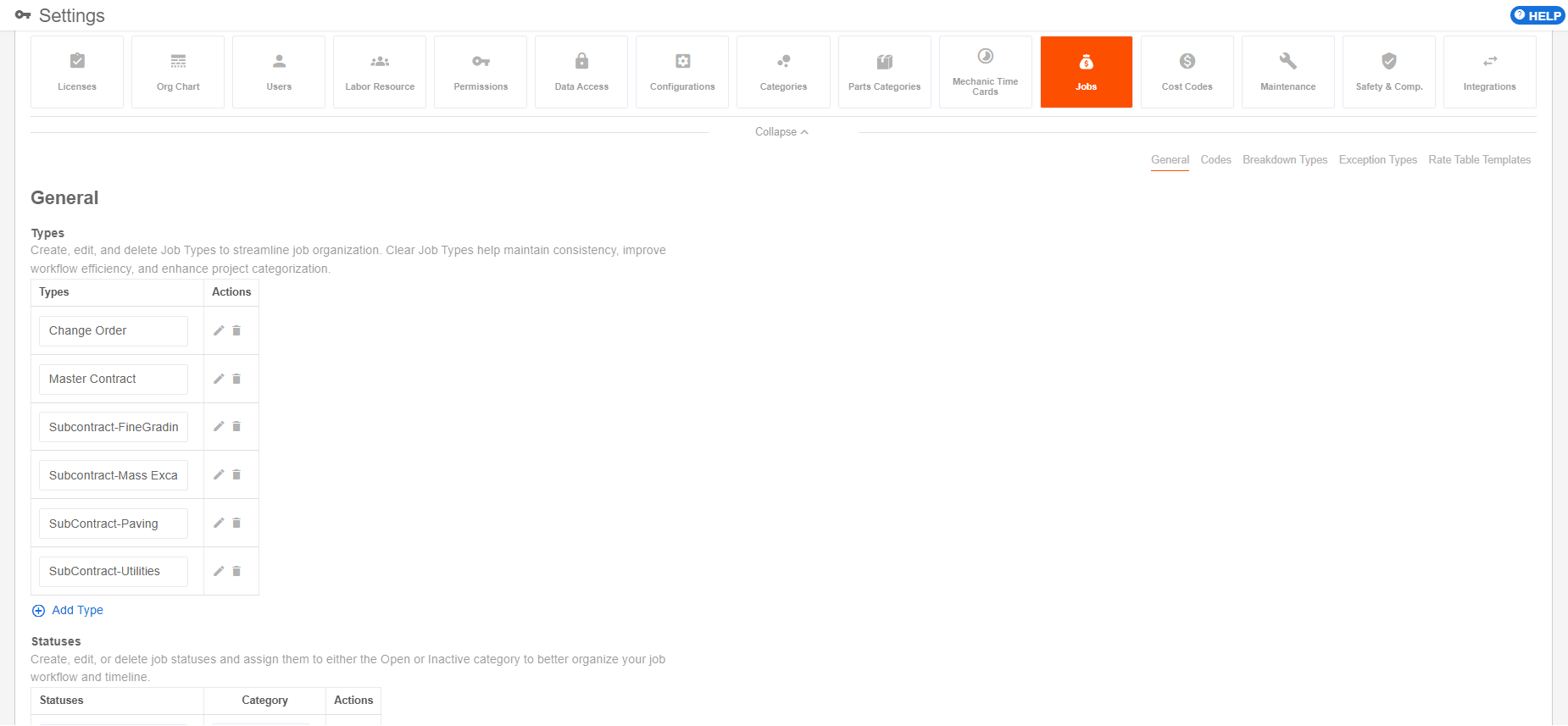
View How to Configure General Jobs Settings (Desktop) for more details.
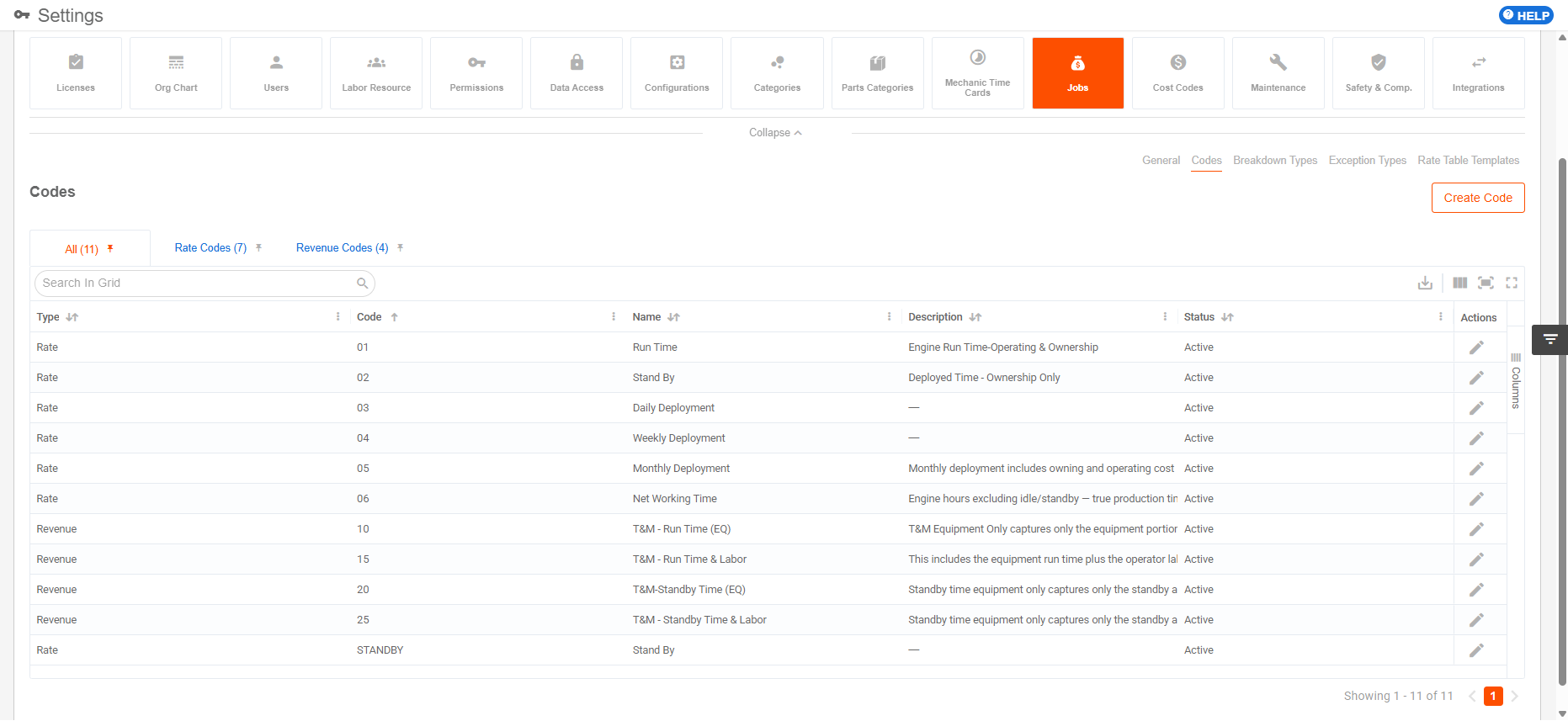
Codes
- Rate Codes: Codes used to identify and apply specific rates for job cost or billing calculations, including labor, equipment, asset, or exception-based rates.
- Revenue Codes: Codes used to categorize revenue generated from jobs for billing, accounting, reporting, and financial tracking.
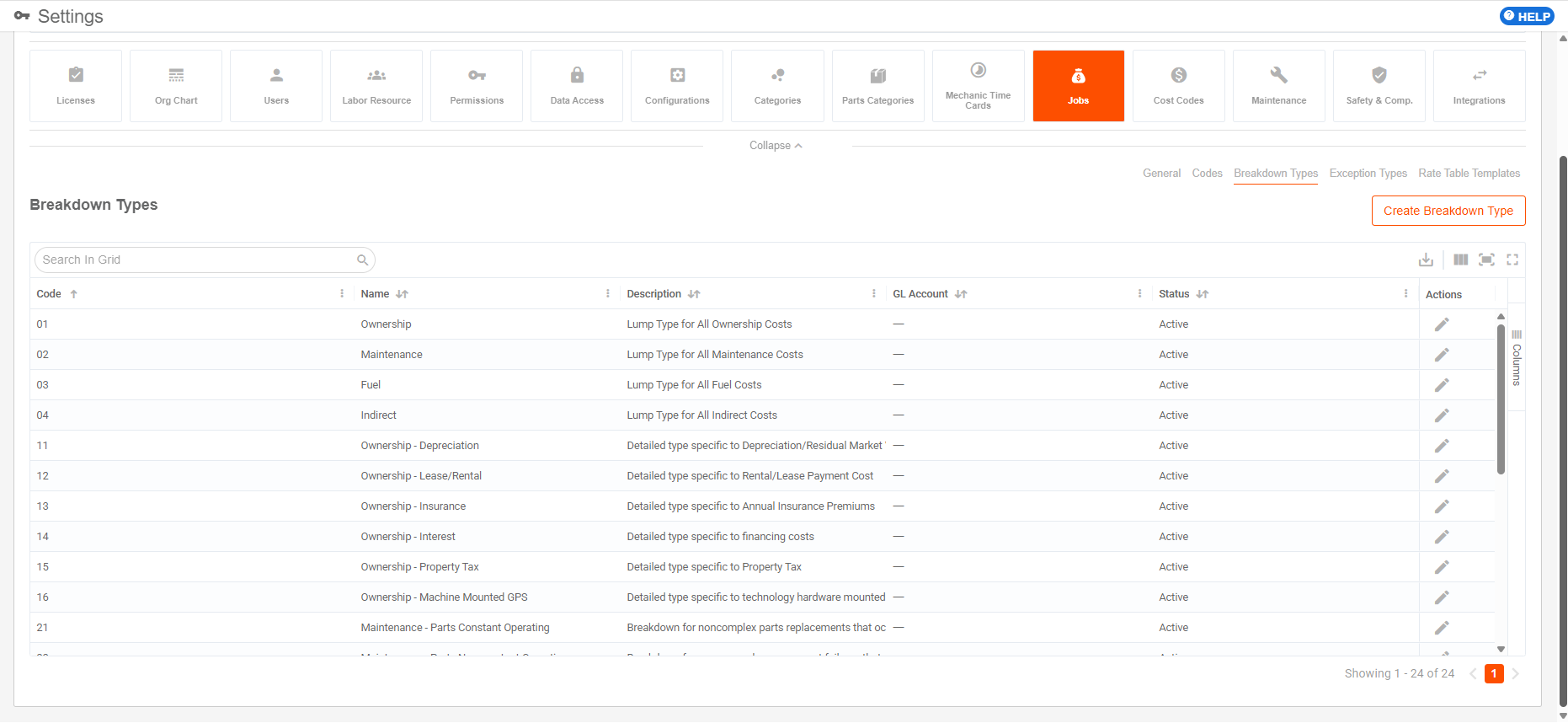
Breakdown Types
Configurable categories that define how job-related costs, billing, utilization, or revenue are grouped and analyzed in rate tables and reports.
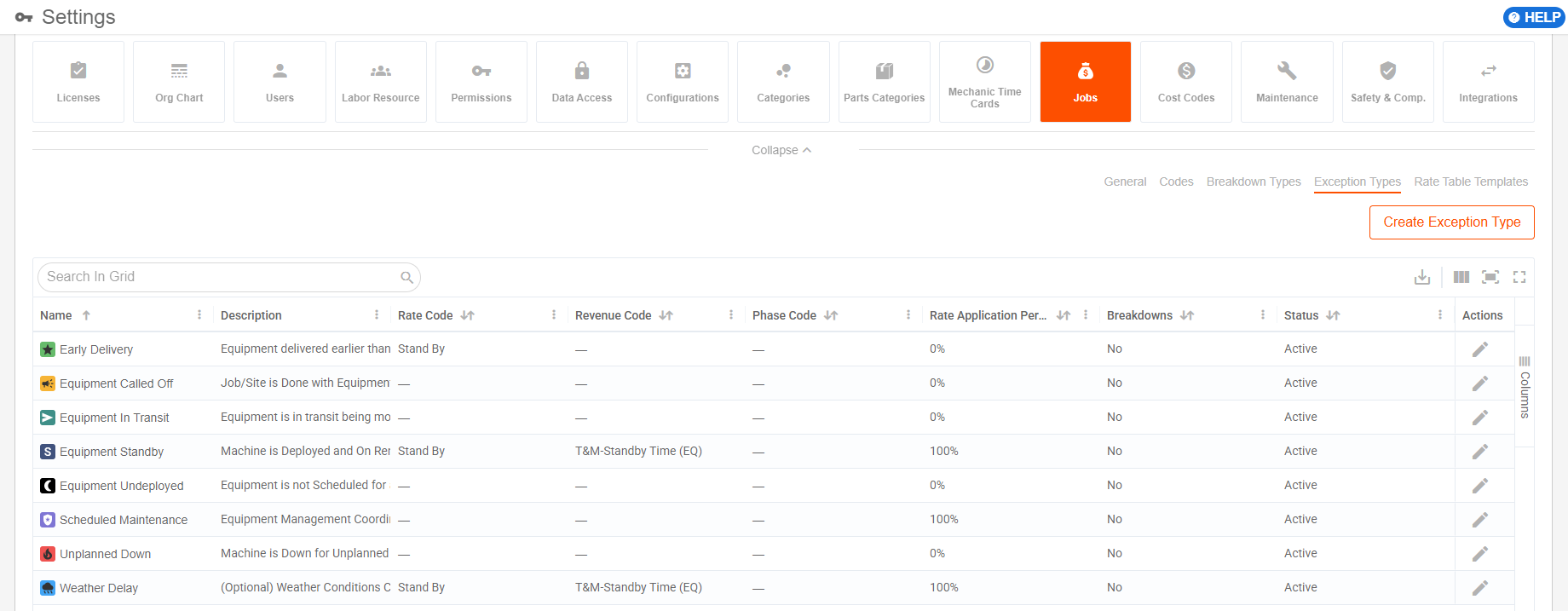
Exception Types
Configurable reasons or conditions, such as standby, down, or on hold, that can be applied to assets or jobs to adjust normal cost, billing, utilization, or rate behavior.
Rate Table Templates
Reusable rate table structures that define standard rate rules, breakdown codes, exception rates, and business rules that can be cloned or applied when creating job rate tables.