
Asset Financials Overview & FAQs
Asset Financials is the construction industry's first telematics-powered automated equipment job costing and billing system, purpose-built for heavy civil and construction fleets. Using real-world machine data, it delivers real-time, accurate job cost and billing results powered by best-in-class telematics hardware, industry-specific OEM integrations, and contractor-defined business logic. Asset Financials feeds your existing accounting systems with the operational context they've always needed, without changing how they work.
💥Jobs - Financials is a premium product and requires a separate license. Please contact your Account Manager for more information on premium product licenses or reach out to Customer Support at help@tenna.com or call 888.836.6269.
In this article:
How does Asset Financials work together with my ERP?
Why It Matters
This feature gives contractors and equipment teams clearer visibility into asset profitability and job-level cost allocation. Instead of managing financial details in disconnected spreadsheets or systems, Tenna helps centralize asset cost data and job assignments so teams can make more informed decisions about deployment, ownership, billing, and utilization.
- Reduces manual tracking across spreadsheets and disconnected systems.
- Improves visibility into equipment costs by job.
- Helps teams identify underutilized or high-cost assets.
- Supports more accurate job costing and resource planning.
- Creates a shared source of truth for operations, finance, and project teams.
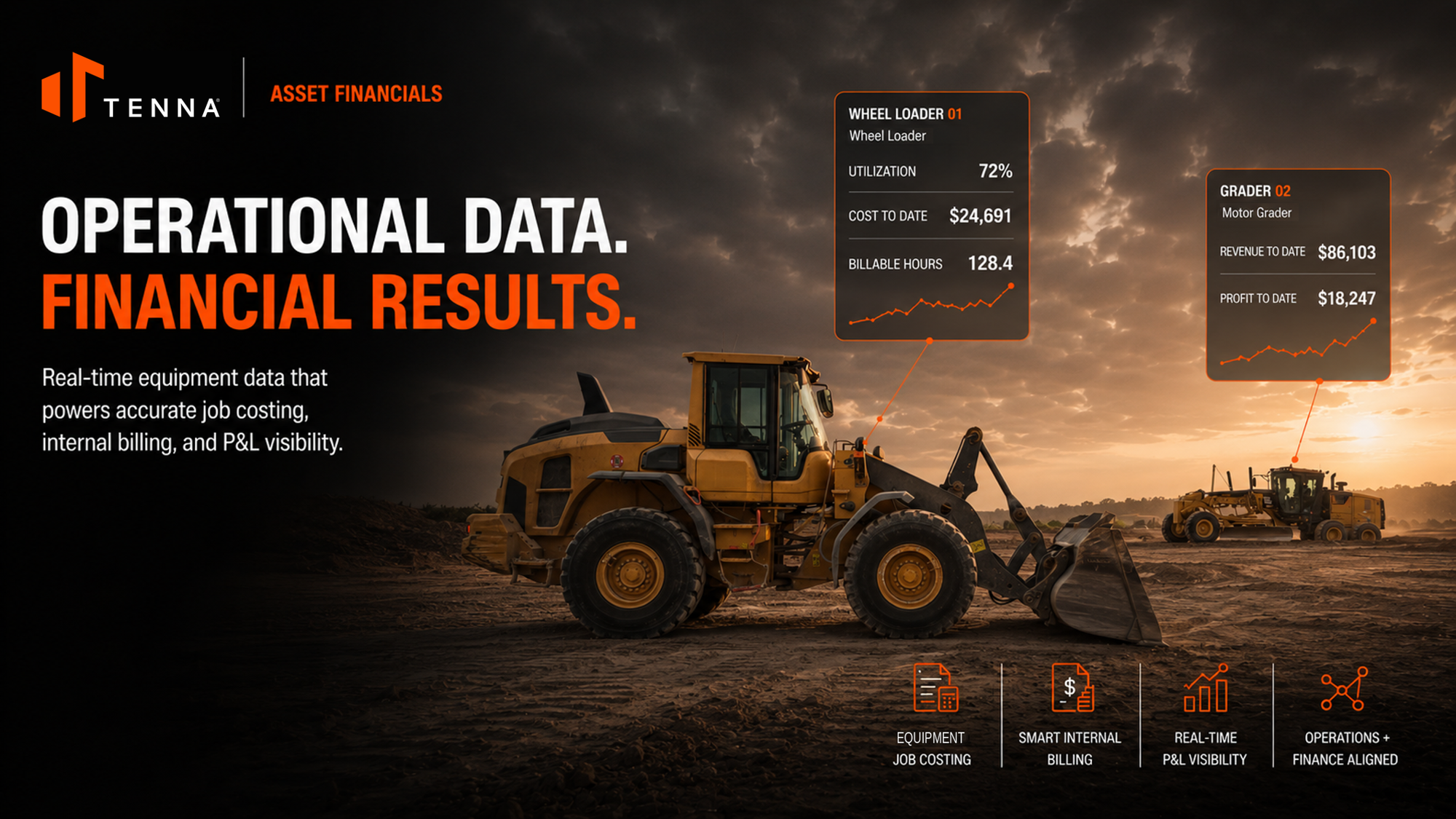
Asset Financials Provides:
- Financial details: Capture and review financial information associated with assets, such as cost-related data that supports ownership and operational analysis.
- Job association: Connect assets to jobs so teams can see where equipment is being used and how it contributes to project activity.
- Cost visibility: Improve understanding of how asset costs affect job performance, utilization, and profitability.
- Operational context: Combine asset location, usage, and job assignment information to support better planning and decision-making.
- Reporting support: Use centralized asset and job data to help inform financial reviews, operational planning, and internal reporting.
How does Asset Financials work together with my ERP?
Asset Financials is designed to complement, not replace, a customer’s ERP or accounting system.
Tenna is responsible for generating financial transaction records per job, asset, and date for internal costing and/or external billing. This includes:
-
Job assignment logic (automated or manual) for assets
Calculated timeframes for each job/asset combination:
- Start and end time on the job
- Hours, days, weeks, or months charged
- Associated rate applied (e.g., hourly, daily, weekly, monthly, usage, exception-based)
- Business rules applied (e.g., rounding, minimum and maximum limits, exclusion of non-working days)
- Audit trail capturing how and why each transaction was changed (currently on the back end)
The following responsibilities reside in the ERP, not Tenna:
- Actual fuel telematics data
- Actual project cost reporting
- Job-level cost rollups and reconciliation logic
- Depreciation
- Taxes
- Insurance
- Invoicing
- General Ledger (GL) entries (i.e., total debits = total credits)
- Financial close processes
- Balance sheets
Key Features of Jobs - Financials
What is a Job in Tenna?
Jobs are accounting and tracking records that represent the contracted work, project, or legal entity where asset costs and revenues are captured.
How are Jobs different from Sites?
- A Job is not a physical location; instead, Jobs organize financial activity, asset assignments, utilization, billing, and cost data so teams can understand how equipment impacts job performance.
- A Site is a physical location entity, represents a real-world place (yard, laydown area, project site) defined by a geofence boundary on the map.
- A job can be linked to a site via geofence automation, but doesn't have to be, jobs without geofences simply rely on manual asset assignment.
- A site can exist without a job, used for asset tracking, logistics, and inventory purposes independent of financials.
How are the two connected? When a geofence (Site) is linked to a Job, it enables automatic asset-to-job assignment: The asset enters the geofence → Tenna assigns the job.
Jobs Overview Dashboard
The Jobs Overview Dashboard provides a centralized view of key job/asset financial metrics (cost & billing), focused on:
- Uncaptured Utilization
- Asset Coverage & Assignment
- Job Automation Coverage
The Jobs Overview Dashboard identifies data gaps, assignment health, and automation effectiveness.
Users can configure which widgets appear on their dashboard, organized by category.
Note: This dashboard is not intended to replicate the full flexibility of the Reporting Engine. It provides quick operational insight with lightweight interaction.
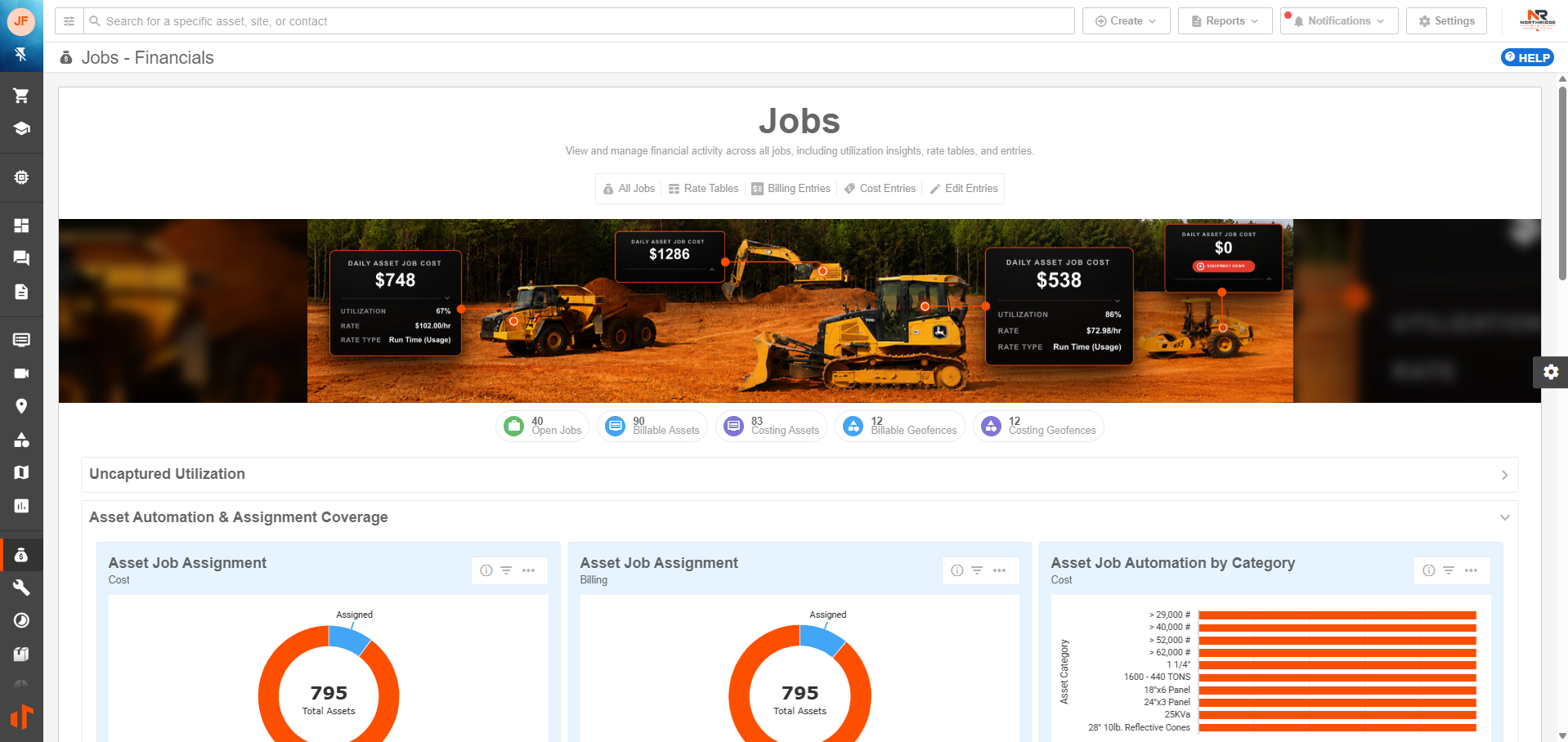
View Jobs Overview Dashboard and FAQ for more information.
All Jobs
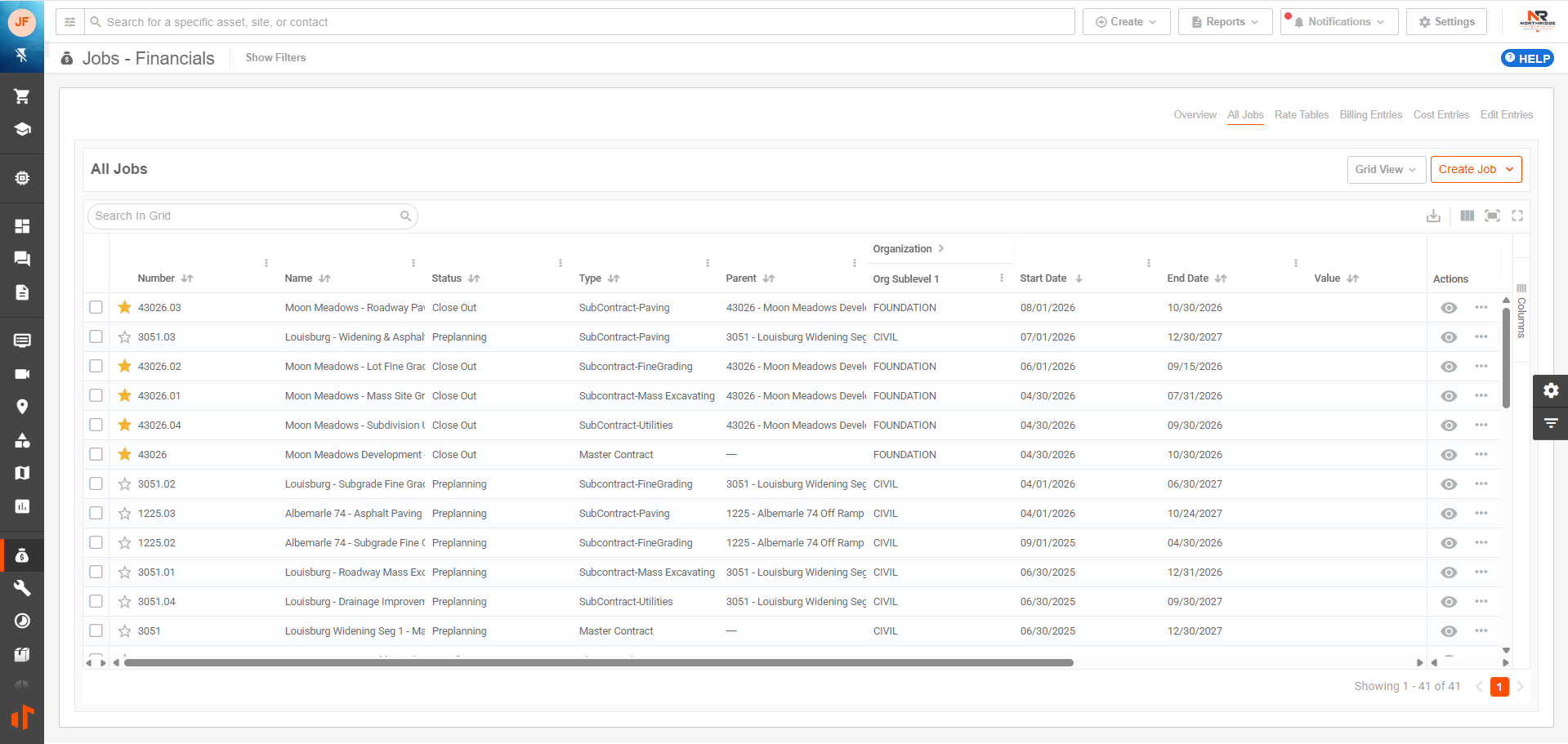
The All Jobs grid is your central hub for viewing, managing, and taking action on every job across your organization. It displays all jobs your permissions allow you to access in a powerful, sortable grid.
Rate Tables
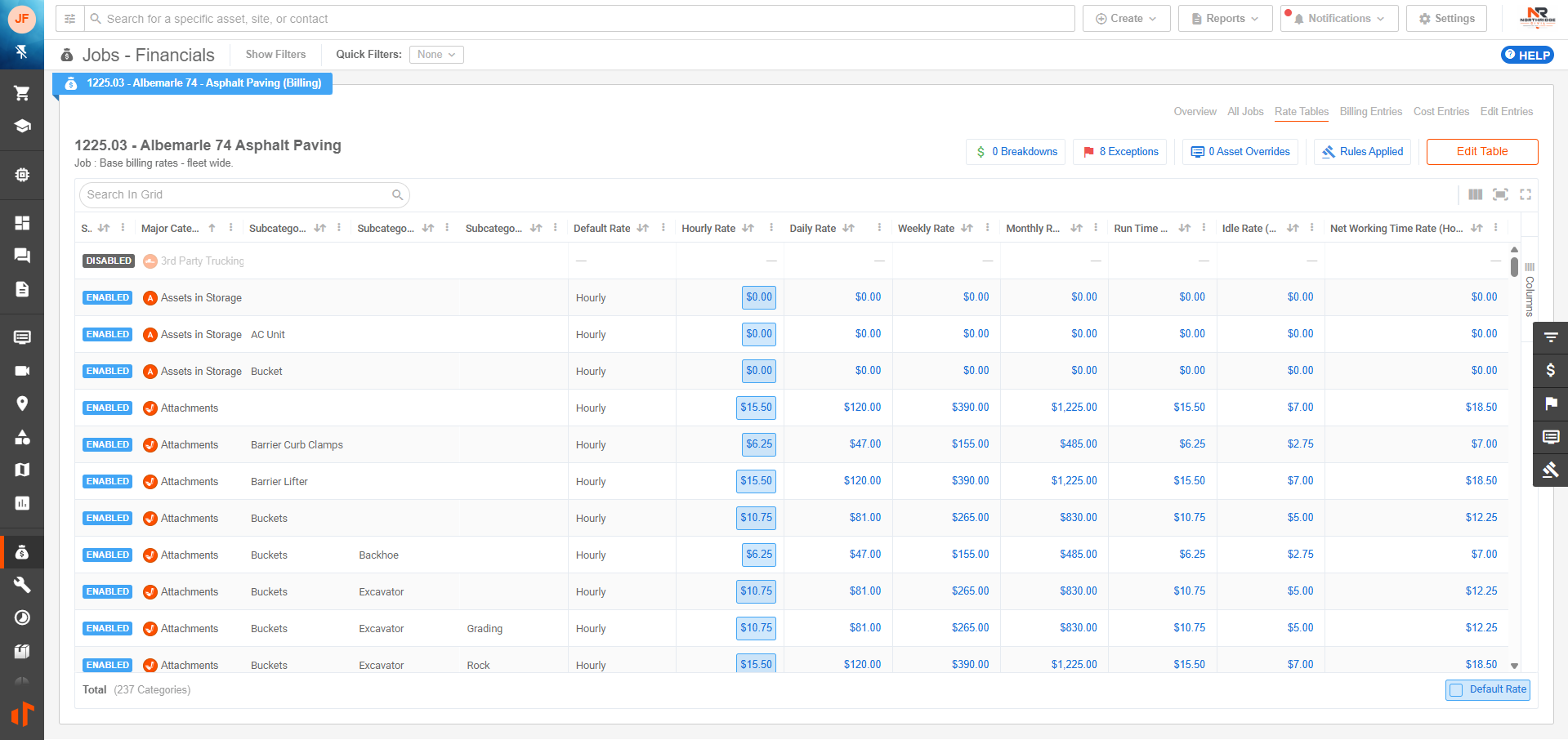
Rate Tables let your team define the standard billing and cost rates used to calculate asset financials across jobs. By centralizing rates for owned, rented, or operated equipment, Tenna helps ensure charges are applied consistently and transparently when assets are assigned to work. This gives operations, finance, and project teams a shared foundation for job costing, internal billing, utilization analysis, and profitability review.
Billing Entries
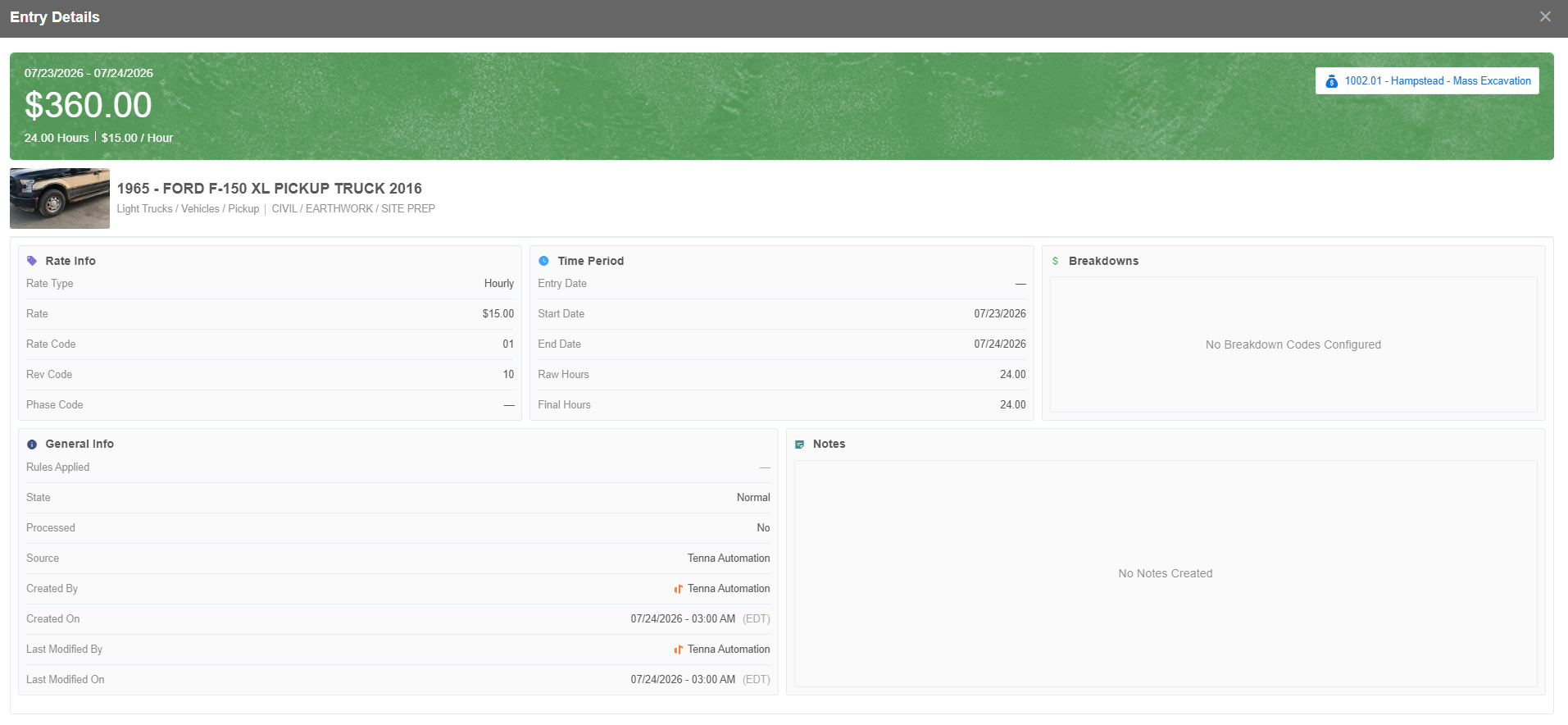
Billing Entries give teams a clear, job-level view of the asset charges generated from equipment usage, assignments, and configured rates. They help translate asset activity into billable financial records so operations, project, and finance teams can review what should be charged to a job, validate billing details, and support accurate internal or customer-facing invoicing. By centralizing billing activity in Tenna, teams can reduce manual calculations, improve consistency, and maintain better visibility into how equipment contributes to job revenue.
Cost Entries
Cost Entries give teams a clear, job-level view of the asset costs generated from equipment usage, assignments, and configured rates. They help translate asset activity into cost records so operations, project, and finance teams can understand what equipment costs are being applied to a job, review cost details, and support more accurate job costing and profitability analysis. By centralizing cost activity in Tenna, teams can reduce manual calculations, improve consistency, and maintain better visibility into how equipment impacts project expenses.
General FAQ
Who should use Asset Financials?
Asset Financials are useful for teams that manage equipment costs, job budgets, utilization, and fleet planning. Common users include equipment managers, fleet managers, operations leaders, finance teams, project managers, and administrators responsible for maintaining asset records.
What types of decisions can Asset Financials support?
- Whether to move an asset to a different job.
- Whether to rent, buy, sell, or reallocate equipment.
- How to allocate asset costs to jobs or departments.
- Which assets may be underutilized, overutilized, or too costly to maintain.
- How equipment costs are affecting project profitability.
Does Asset Financials replace my accounting system?
Asset Financials are designed to give your team better operational and job-level visibility into asset costs within Tenna. They can help centralize asset context and support financial conversations, but your accounting or ERP system may still remain the system of record for formal accounting workflows.