
Release Notes: June 2026
In this article:
Key Enhancements
Command Center
✅ Release June 12, 2026
Additional Optional Request Fields
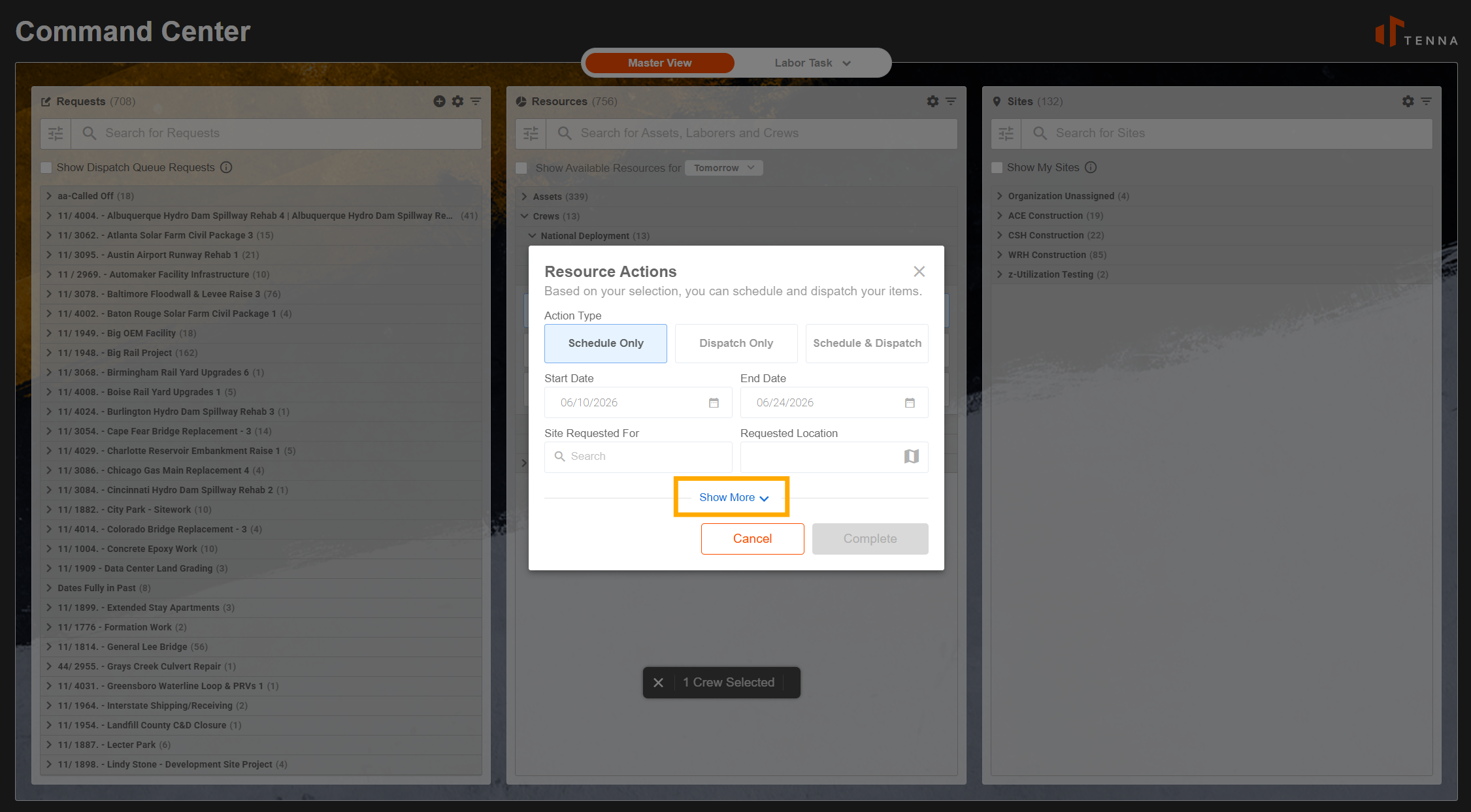
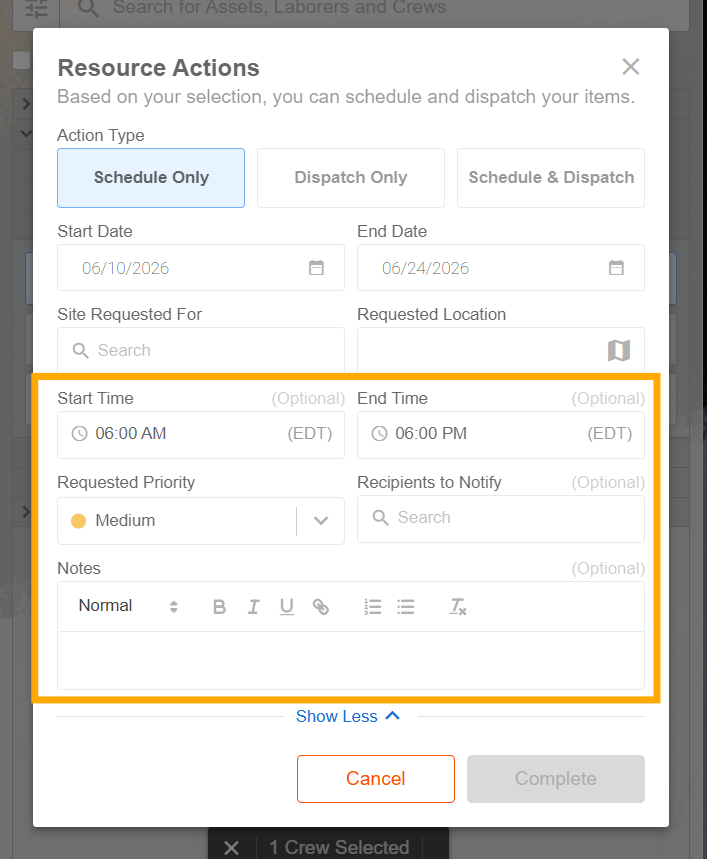
We’ve enhanced the Resource Actions modal in the Command Center to include additional optional request fields, accessible via a new “Show More / Show Less” control.
Why This Matters: This gives dispatchers and planners more flexibility to capture extra details when creating or editing requests, while keeping the default view clean and focused. Use Show More to expand and enter extra information when needed, and Show Less to collapse back to the streamlined view.
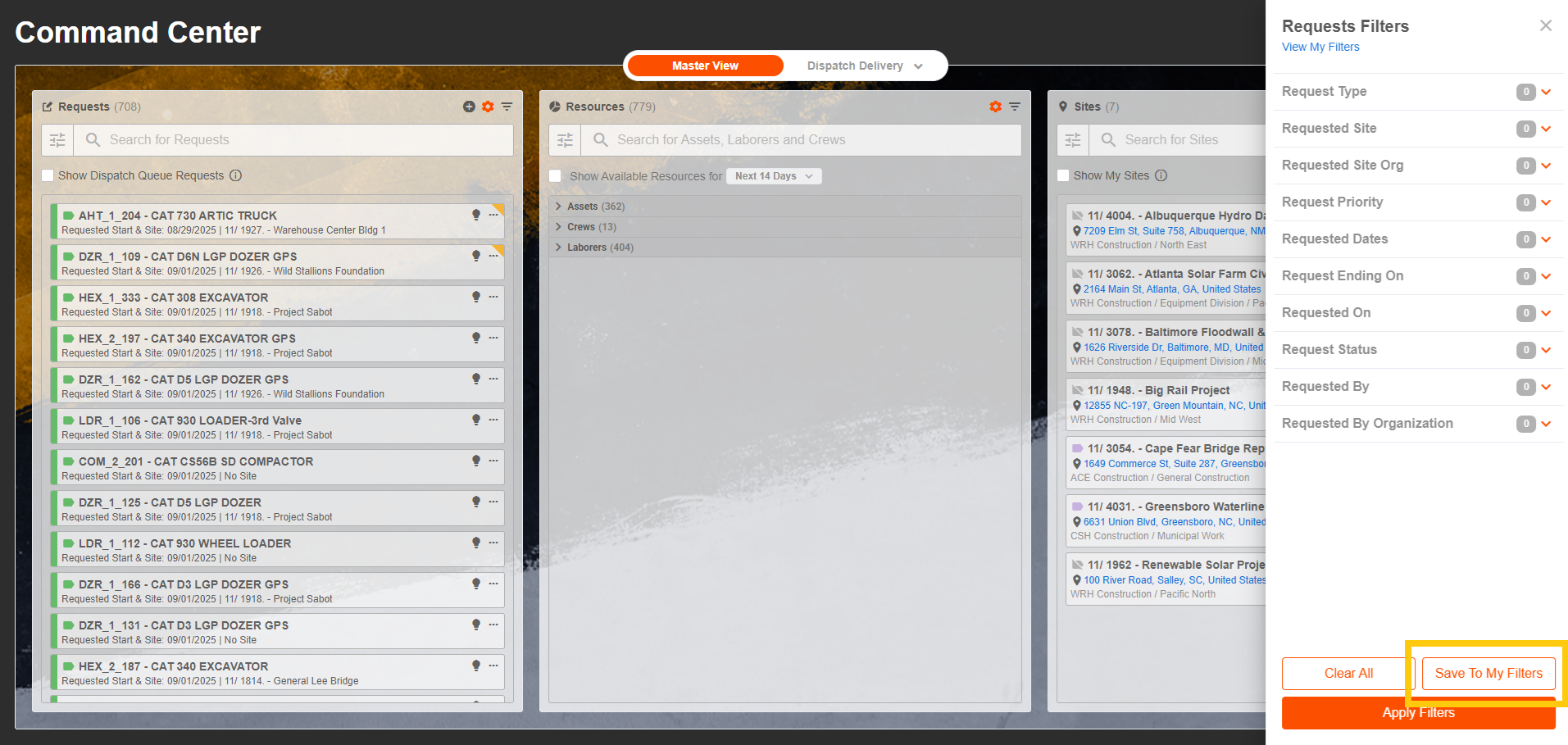
New “Request Ending On” Filter
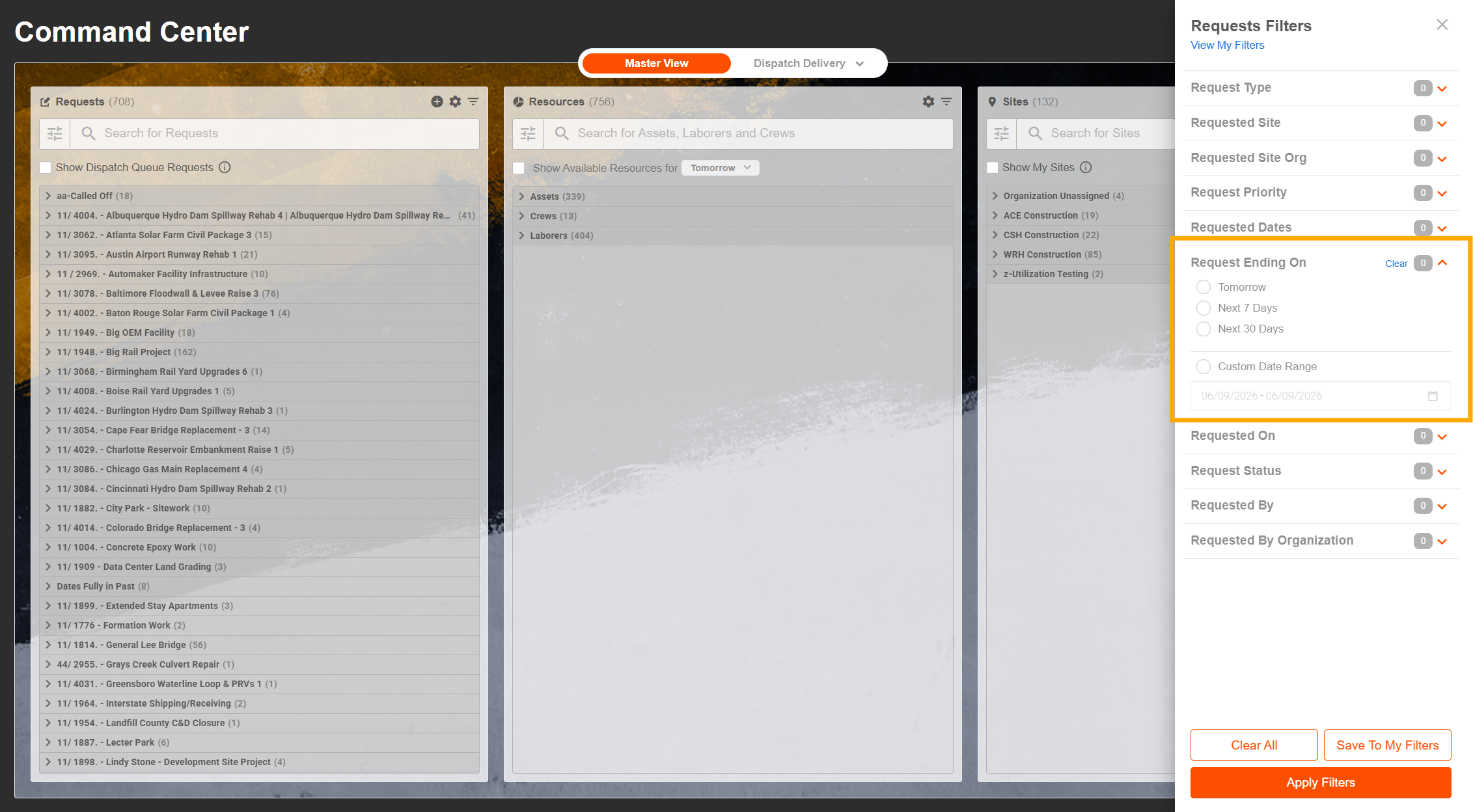
We've added a new "Request Ending On" filter to the Dispatch Command Center filter panel, available across all view modes.
Why This Matters: Dispatchers can now filter requests by their ending date directly within the Command Center, making it easy to identify which assets are ready for pickup and schedule follow-up actions in real time — without waiting on nightly report refreshes.
New "Asset Designation Type" Filter
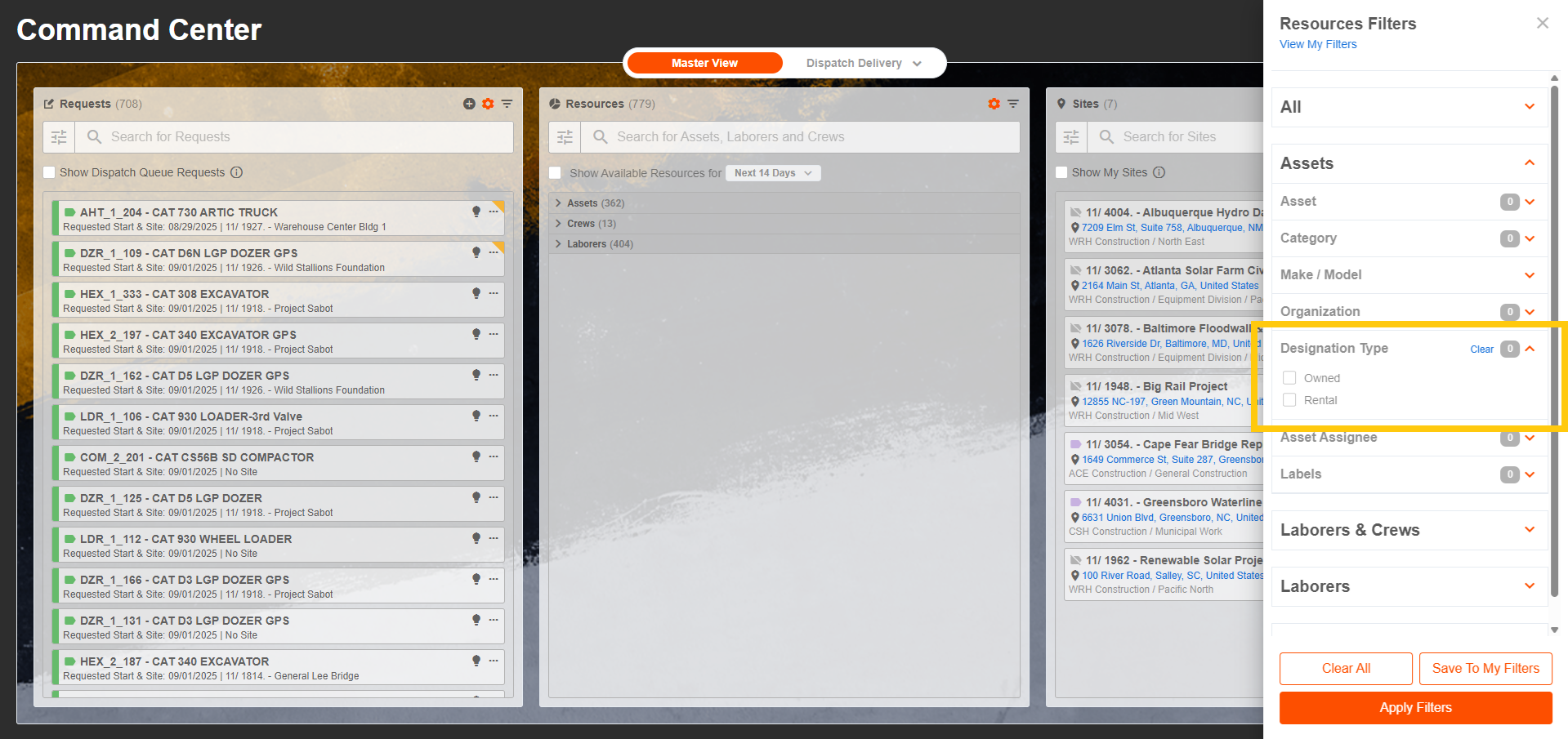
Users can now filter resources in Command Center by Asset Designation Type (e.g., Owned, Rental).
Why This Matters: This new filter option, available in both grouped and flat views, makes it easier to narrow down resource lists based on how assets are designated — similar to the existing Designation Type filter in the Assets List. This enhancement helps dispatchers quickly locate the right assets when planning and assigning work.
"Save My Filters" in Command Center
Users can now save personal filters across the Dispatch Command Center, including the Requests, Resources, and Dispatch Events columns.
Why This Matters: This enhancement allows dispatchers to quickly apply their preferred filter configurations without having to re-set them each session, streamlining daily workflows.
Asset Details
✅ Released June 12, 2026
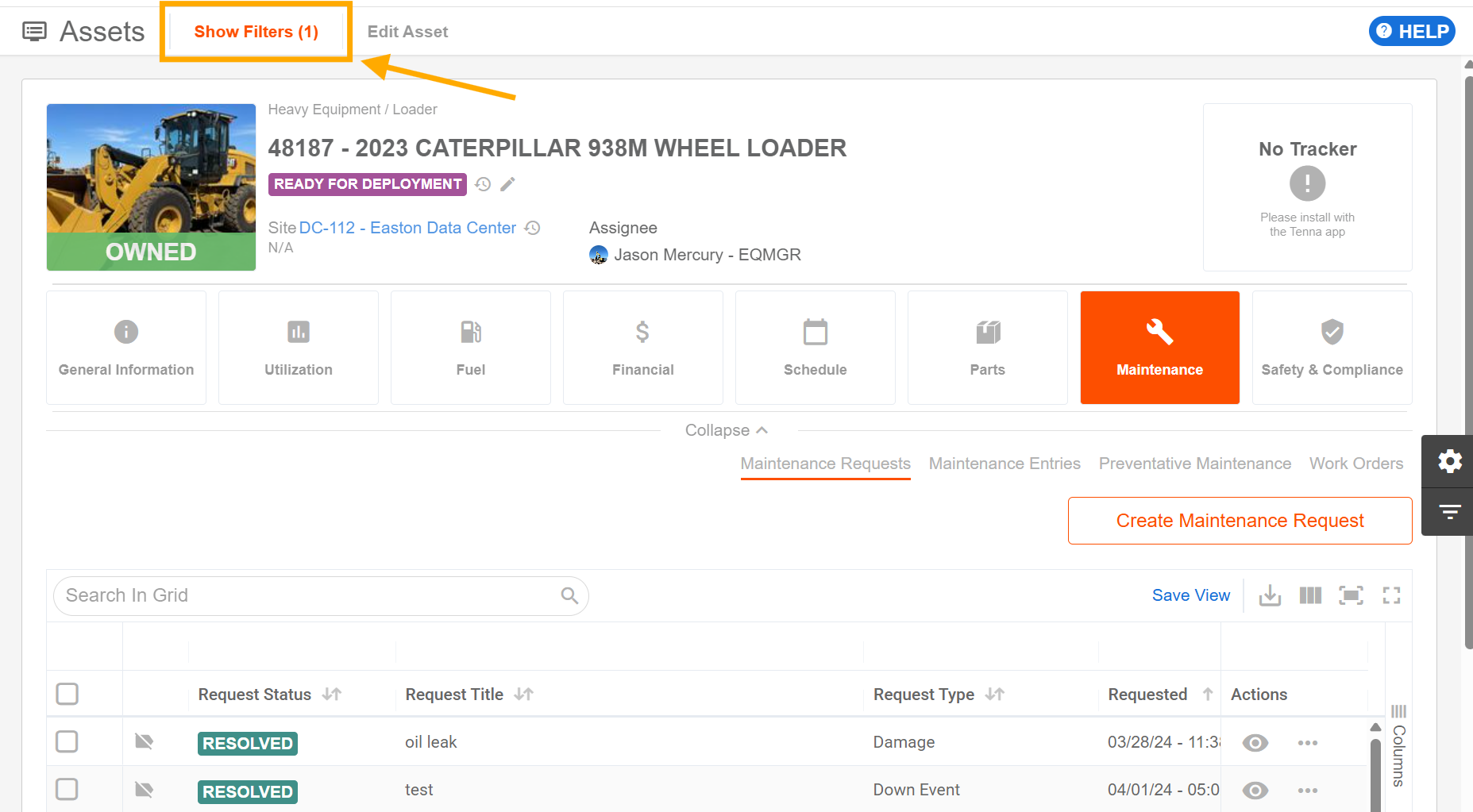
“Active Filters” added to Asset Details > Maintenance tab
We've added a clear "Show Filters" indicator with an active filter count across all maintenance sub-tabs within Asset Details — including Maintenance Requests, Maintenance Entries, Preventative Maintenance, and Work Orders.
Why This Matters: Now, a "Show Filters (x)" button displays whenever filters are active, so you always know at a glance if you're viewing a filtered list. Filter states within Asset Details are also now fully isolated from the standalone Maintenance grids, preventing unintended carry-over between views.
Site Details
✅ Release June 12, 2026
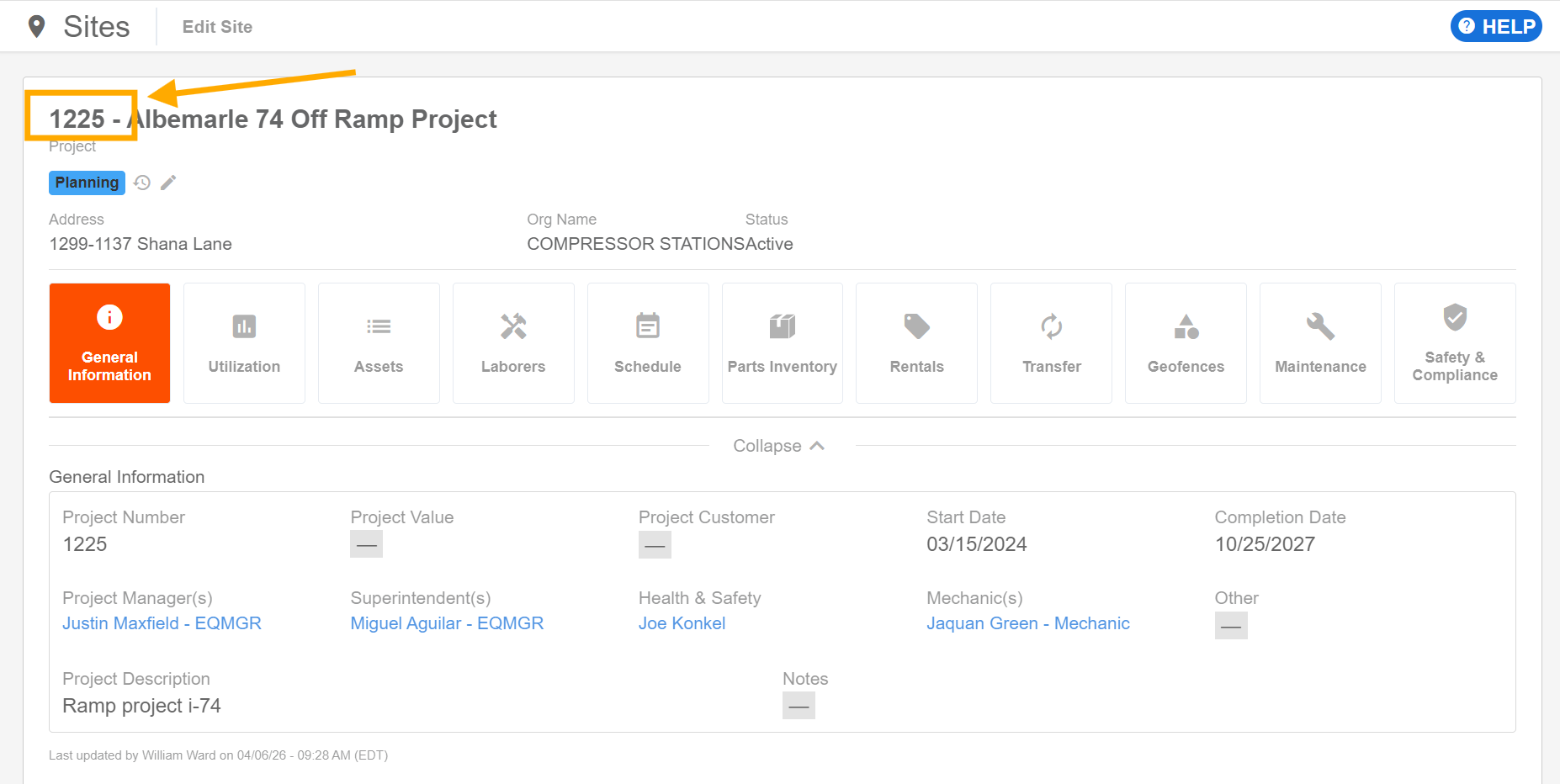
Added Site Number to Site Details Header
The Site Number is now displayed directly in the Site Details page header.
Why This Matters: For organizations managing a large number of jobs with similar names, this makes it much easier to quickly identify the correct site at a glance. The site number appears in both the expanded and collapsed header states and applies to all site types — projects, offices, and yards (active and closed). If a site does not have a number assigned, the header continues to display the site name only.
Integrations
CAT Integration Disconnect Action
✅ Released June 19, 2026
We’ve added a new disconnect action for the CAT integration, giving administrators a clear, self-service way to disconnect Caterpillar from Tenna when the integration is no longer needed or credentials change.
Why This Matters: This enhancement makes integration management easier and more transparent. Instead of requiring support assistance, authorized users can disconnect the CAT integration directly from the integration settings, helping teams maintain control over connected systems and ensure equipment data is only shared when the integration is active and intended.

Maintenance
Edit Maintenance Requests Without Leaving Your Work Order
✅ Released June 30, 2026
Maintenance teams can now edit a maintenance request directly from an associated work order using a new Edit action in the maintenance request grid and request actions panel.
Why This Matters: This keeps teams in their work order workflow while making updates to linked maintenance requests, reducing extra navigation and helping users keep request details accurate faster. Read-only work order views remain read-only, and standalone maintenance request editing continues to work as before.
