
Release Notes: July 2026
In this article:
New Products
Asset Financials
✅ Released July 23, 2026
🎉Asset Financials is here! 🎉 Asset Financials closes the longstanding gap between what equipment and assets do in the field and how they get costed and billed on the books, automatically computing equipment job costing, and internal billing.
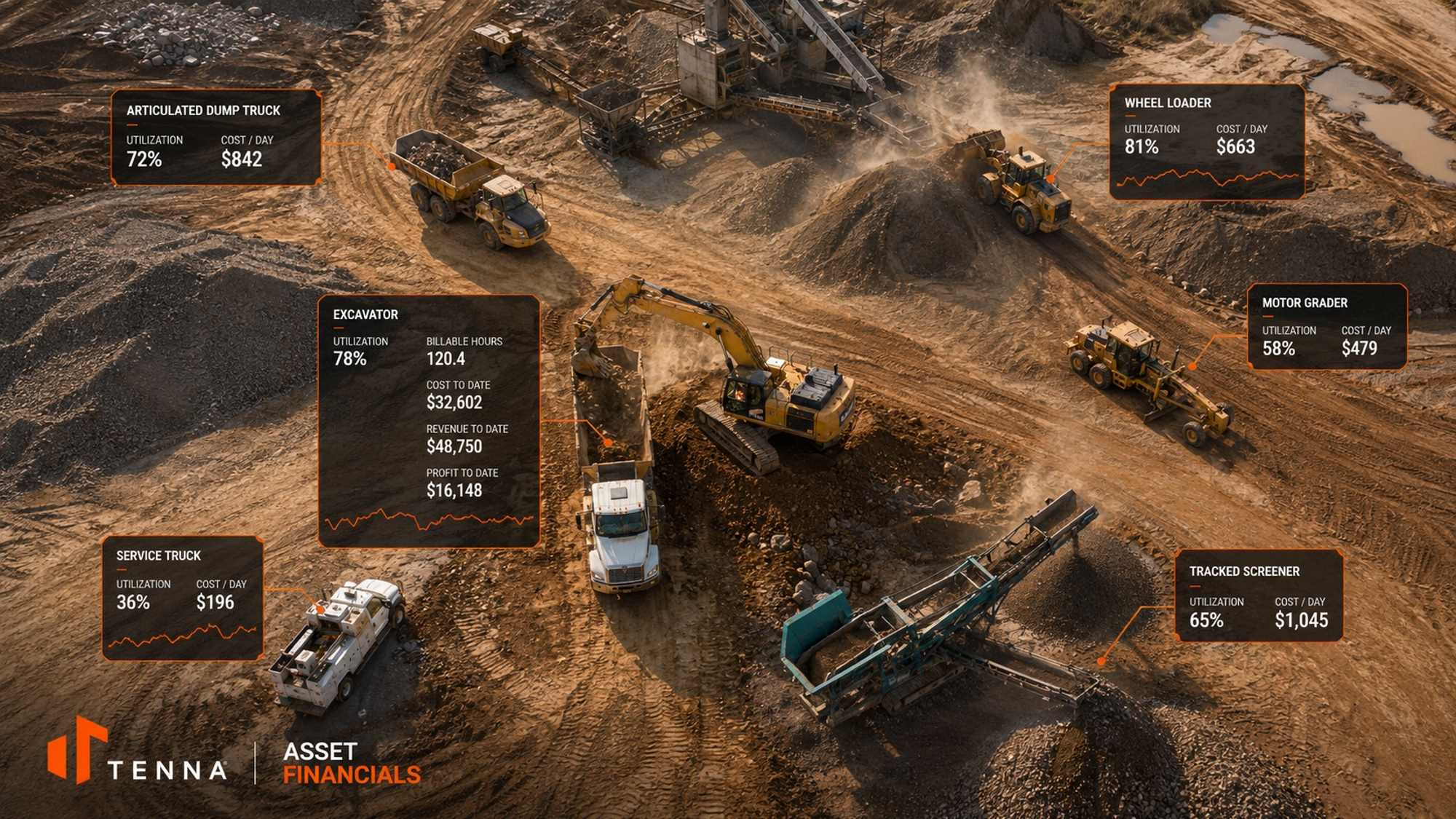
The goal of Asset Financials is to determine, at any point in time, whether each asset in the fleet (from equipment, to vehicles, to mid-sized assets, tools and more) is earning its keep by job, by period, and in aggregate. It produces:
- Automated job costing: Equipment costs allocated to specific jobs based on actual activity from the machine.
- Internal billing records: Defensible internal charge documentation grounded in telematics data, available to resolve disputes between the shop, project teams, and finance without phone calls or manual reconciliation.
- Fleet-level benchmarks: Over time, aggregated job cost and billing data across the fleet and internal benchmarks by equipment and asset class, providing the financial basis for purchase, rental, redeployment, and replacement decisions.
- ERP-ready output: Financial data formatted for existing accounting systems with the operational context needed to stay accurate.
Asset Financials is a premium product and requires an additional license to access. Talk to your Customer Account Manager for more information.

Learn more about Asset Financials!
Asset Financials on Tablet
✅ Released July 23, 2026
The tablet experience gives field and operations teams a mobile view into Asset Financials so they can understand how each asset is performing financially while work is happening. It connects live asset activity to job costing, and internal billing, helping teams see whether equipment is earning its keep by job, period, and overall fleet performance.
- Field-ready visibility: Review asset financial context from the tablet without waiting for back-office reporting.
- Activity-based costing: Tie equipment costs to actual machine usage and jobs.
- Internal billing support: Provide clear, defensible billing records based on operational and telematics data.
- Profitability insight: Surface asset-level trends that support redeployment, rental, purchase, and replacement decisions.


Key Enhancements
Reports
Time Entry History Log Report
✅ Released July 23, 2026
We've added a new report to help you track every change made to time entries across your organization — giving supervisors, payroll teams, and administrators a complete audit trail of time card edits.
The Time Entry History Log Report shows a chronological log of all changes made to time entries. Each row represents a single field change, so you can see exactly what was modified, the updated value, who made the change, and when — all in one place.
Tracked fields include:
- Entry dates, start/end times, and hours
- Cost codes, billing rate codes, time types, and payroll companies
- Billed amounts, G/L numbers, and productivity
- Associated assets, sites, work orders, and maintenance requests
- Bill-to assignments, class codes, labels, and entry notes
Filtering & Sorting
The report can be filtered by subsidiary, division, department, and date range, making it easy to narrow down to the changes that matter. Results are sorted by operation date by default, so the most recent changes appear first.
Open API Access
The Time Entry History Log is also available through the Open API, so you can pull change history into your own reporting tools or integrations.
Why It Matters
- Full audit trail — See who changed what and when on every time entry, supporting payroll accuracy and compliance reviews.
- Faster dispute resolution — When a time entry is questioned, the history log provides a clear record of every edit, eliminating guesswork.
- Payroll & billing confidence — Verify that hours, cost codes, and billing rates haven't been changed unexpectedly before finalizing payroll or invoicing.


New “Last Data Received” Column added to “Hour Readings by Asset” and “Mileage Readings by Asset” Reports
✅ Released July 23, 2026
What changed
- Added a Last Data Received (account timezone) column to the reports to reflect when Tenna last received telematics data for each asset.
- Clarified the previous reading timestamp so it now accurately represents last data received, aligning the reports with current data structures.
Who this impacts
- Fleet managers and equipment managers using the Hour Readings by Asset and Mileage Readings by Asset reports to reconcile meter readings, verify utilization, and troubleshoot stale or missing data.
Why it matters
- Faster data quality checks – Quickly see whether readings are current or stale for each asset.
- More accurate reconciliations – Align meter readings and utilization decisions with the true last data received time.
- Clearer troubleshooting – Easily identify assets that may have connectivity, device, or configuration issues based on missing or outdated timestamps.

Integrations
Procore Integration for Daily Log
✅ Released July 23, 2026
We’ve enhanced the Procore integration to better support Daily Log entries for customers using Procore’s new Equipment module.
What to know
- Equipment must be associated with the correct Procore projects for Daily Log entries to sync successfully.
- If equipment is not linked to the appropriate project, the Daily Log entry may automatically link to equipment in Procore. Asset information is added to daily log comments to assist Procore users in associating entries with the correct equipment.
- This update improves visibility and data consistency for teams managing equipment activity through both Tenna and Procore.
Hardware
Action QR Single Color and Tag
✅ Released July 23, 2026
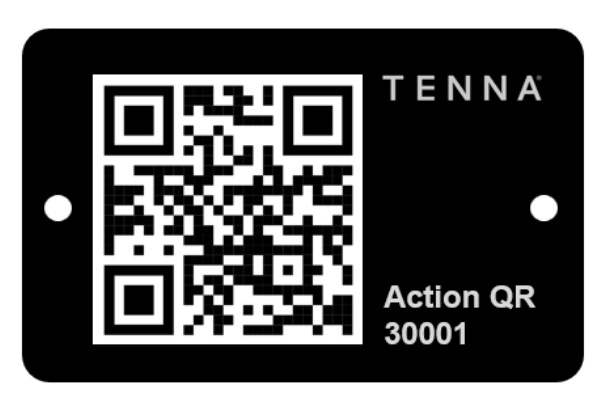
You asked, we delivered! Action QR is now available in a single-color label sheet and a rugged, aluminum tag version.
Learn More: Action QRs Overview
|
|
|

RP1226 Fleet Adapter
✅ Released July 23, 2026
The RP1226 connector is standard fitment on most North American Class 6–8 commercial trucks and coaches manufactured from 2018 onward, where TMC RP1226 compliance became broadly adopted across OEMs.
- OEM coverage (2018+): Freightliner, Kenworth, Peterbilt, Volvo Trucks, Mack, International (IC Bus), Western Star
- Vehicle classes: Class 6, 7 & 8 heavy-duty trucks, semi-tractors, vocational vehicles, motorcoaches, transit buses
- Data buses supported: SAE J1939 (CAN), SAE J1708 / J1587, ISO 15765, OBD-II (where applicable)
- Common applications: Fleet telematics, ELD/HOS compliance, remote diagnostics, ECM programming, predictive maintenance platforms
