
Rate Tables Overview (Desktop)
Rate tables in Jobs give you a structured way to manage how costs and billing rates are applied across your jobs. There are two distinct types: Rate Table Templates and Job Rate Tables, and understanding the difference between them is key to using this feature effectively.
Permissions Requirements: Access to rate tables is controlled by separate permission sets for each type:
Rate Table Templates
- View Rate Table Templates allows the user to view rate table templates
- Manage Rate Table Templates allows the user to clone, deactivate, and reactivate rate table templates
Job Rate Tables
- View Job Rate Tables allows the user to view job rate tables
- Manage Job Rate Tables allows the user to manage job rate tables
💥Rate Tables is part of a premium product, Jobs - Financials, and requires a separate license. Please contact your Account Manager for more information on premium product licenses or reach out to Customer Support at help@tenna.com or call 888.836.6269.
In this article:
Rate Table Templates vs Job Rate Tables
Both Rate Table Templates and Job Rate Tables share the same structure but serve different purposes.
|
|
Rate Table Template | Job Rate Table |
| Lives at | Account level (settings) | Job level |
| Purpose | Standard rate blueprint | Working copy for a specific job |
| Created by | Manually, in settings | Automatically cloned from a template when a job is created |
| Editable | Yes, in settings | Yes, on the job |
| Affects other records? | No, editing a template does not update existing Job Rate Tables | No, editing a Job Rate Table does not update the source template |
Both types contain the same components: rate grids, categories, rate types, code breakdowns, rules, and asset overrides.
Pro Tip! Think of Rate Table Template as your master pricing model and a Job Rate Table as the job-specific copy that gets put to work.
Key things to know:
- One template → many jobs. A single template can be cloned onto hundreds of jobs.
- Fully independent after cloning. Changes to a template do not affect existing Job Rate Tables, and changes to a Job Rate Table do not affect the source template.
- Templates control the future. Updating a template only applies to jobs created after the change; existing Job Rate Tables are not affected.
- Lifecycle differs. Templates can be deactivated or reactivated to control availability. Job Rate Tables exist as long as the job does.
Available Actions
Rate Tables support the following actions. Availability depends on the record type, its current status, and the user's permissions. The actions differ from Rate Table Templates to Job Rate Tables.
Rate Table Template

| Action | Description |
| View (eye icon) | Opens the rate table in read-only mode |
| Edit | Updates an existing rate table's configuration and values. Not available for deactivated rate tables |
| Clone | Creates a new, independent rate table template from an existing job rate table or template |
| Deactivate | Makes a template inactive so it is no longer available for assignment or cloning, while preserving existing relationships |
| Reactivate | Restores an inactive template to active status |
Job Rate Table

| Action | Description |
| View | Opens the rate table in read-only mode |
| Edit | Updates an existing rate table's configuration and values. Not available for deactivated rate tables |
| Clone to template | Creates a new, independent rate table template from an existing job rate table or template |
Important! Most actions are available from a grid view, detail view, or any interface that exposes rate table controls. Rate Table Templates are account-wide resources and can only be edited in Settings; the Jobs view is read-only for templates.
How to Access Rate Tables in Jobs
Rate tables are accessible from the Rate Tables tab in the Jobs navigation.
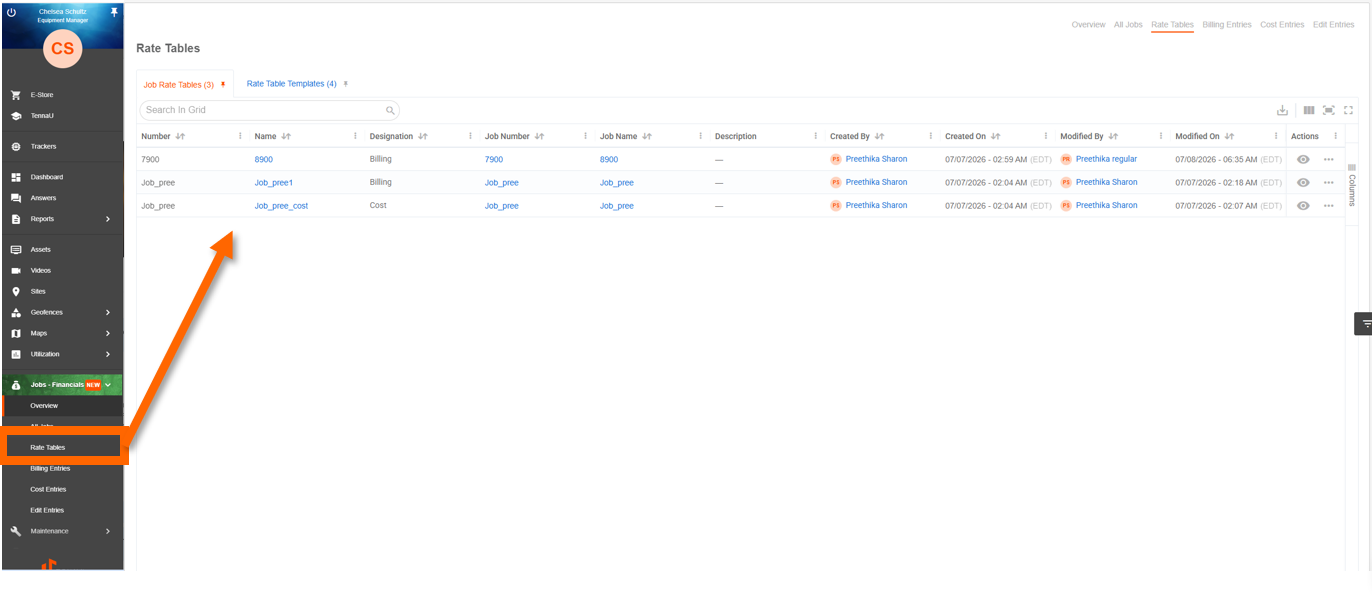
The tab uses a dual-tab interface:
- Job Rate Tables (default/pinned): shows all job-specific rate tables
- Rate Table Templates: shows active templates only; this is a read-only reference view; editing is done in Settings
Each tab displays a count badge and is pinnable. Both tabs support search, sort (default: Name A–Z), and export to CSV or Excel (requires the Export Data permission).
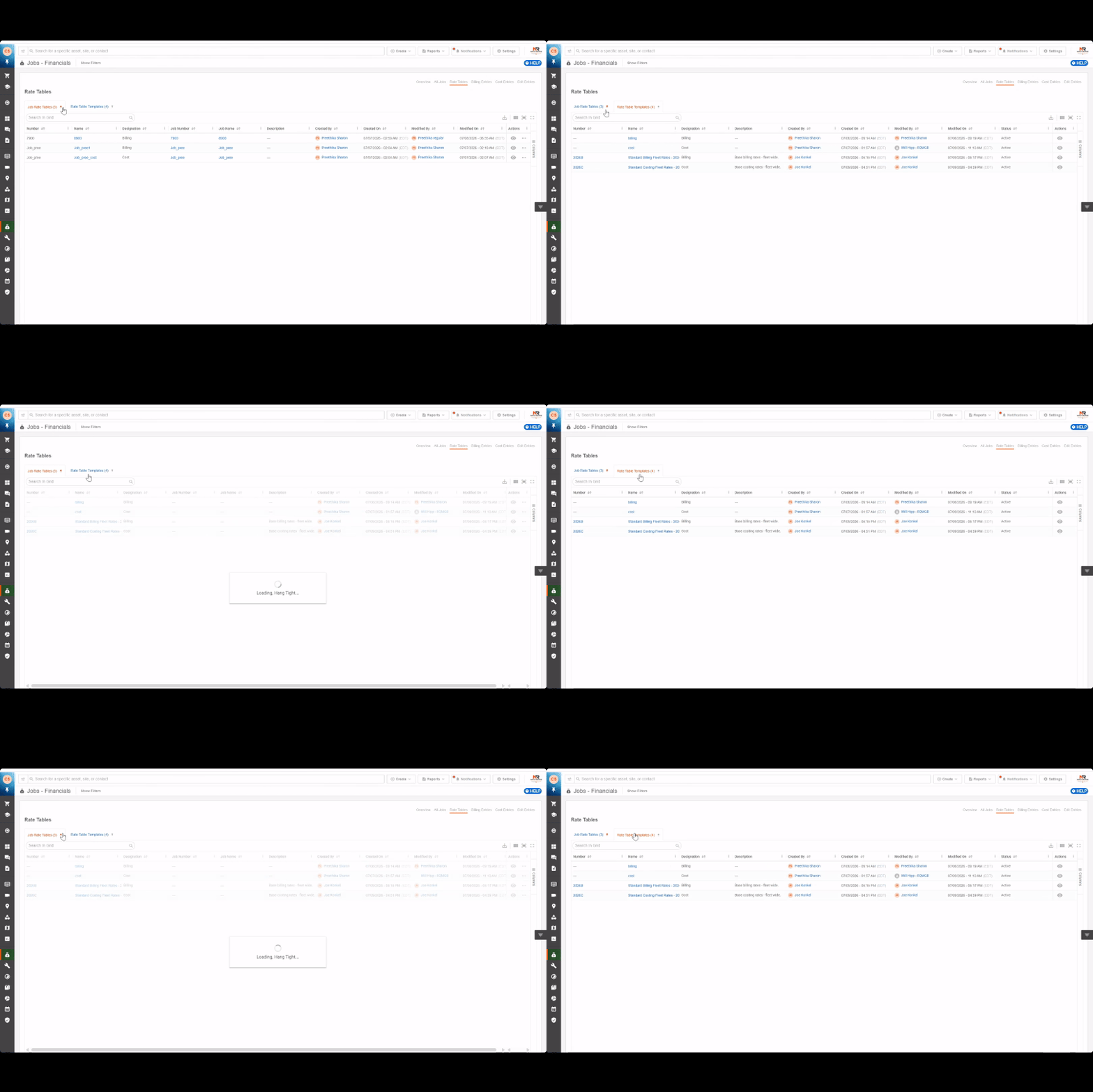
NOTE: DAC (Data Access Control) does not apply at the rate table level.