
Dispatch Command Center- Dispatch Management
Dispatch Management is where approved plans become real-world action. This helps to keep your daily and weekly operations running smoothly.
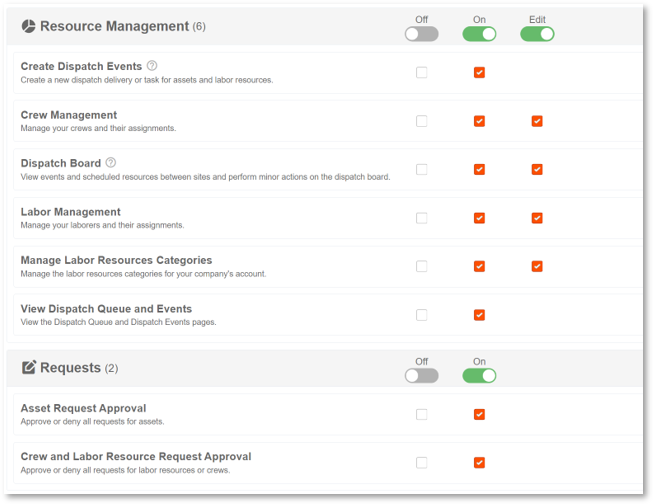
Permission Requirements: The Dispatch Board permission must be turned ON for read only access or set to EDIT to perform actions.
Related Permissions:
- "Request Approval" enables Advanced Flows
- "Transfer Assets" enables Transfer Actions
- "Labor/Crew Management" set to edit enables Transfer Actions
- "View Dispatch Queue & Events" enables access to Dispatch Management View
- "Create Dispatch Events" enables Advanced Flows
💥Dispatch Command Center is part of a premium product, Resource Management, and requires a separate license. Please contact your Account Manager for more information on premium product licenses or reach out to Customer Support at help@tenna.com or call 888.836.6269.
Dispatch Views
Switch between three views depending on what you're managing:
- Dispatch Deliveries: Equipment being transported between locations
- Asset Tasks: On-site work being performed with specific equipment
- Labor Tasks: Project work being completed by your crews and laborers
Dispatch Deliveries
Request Processing
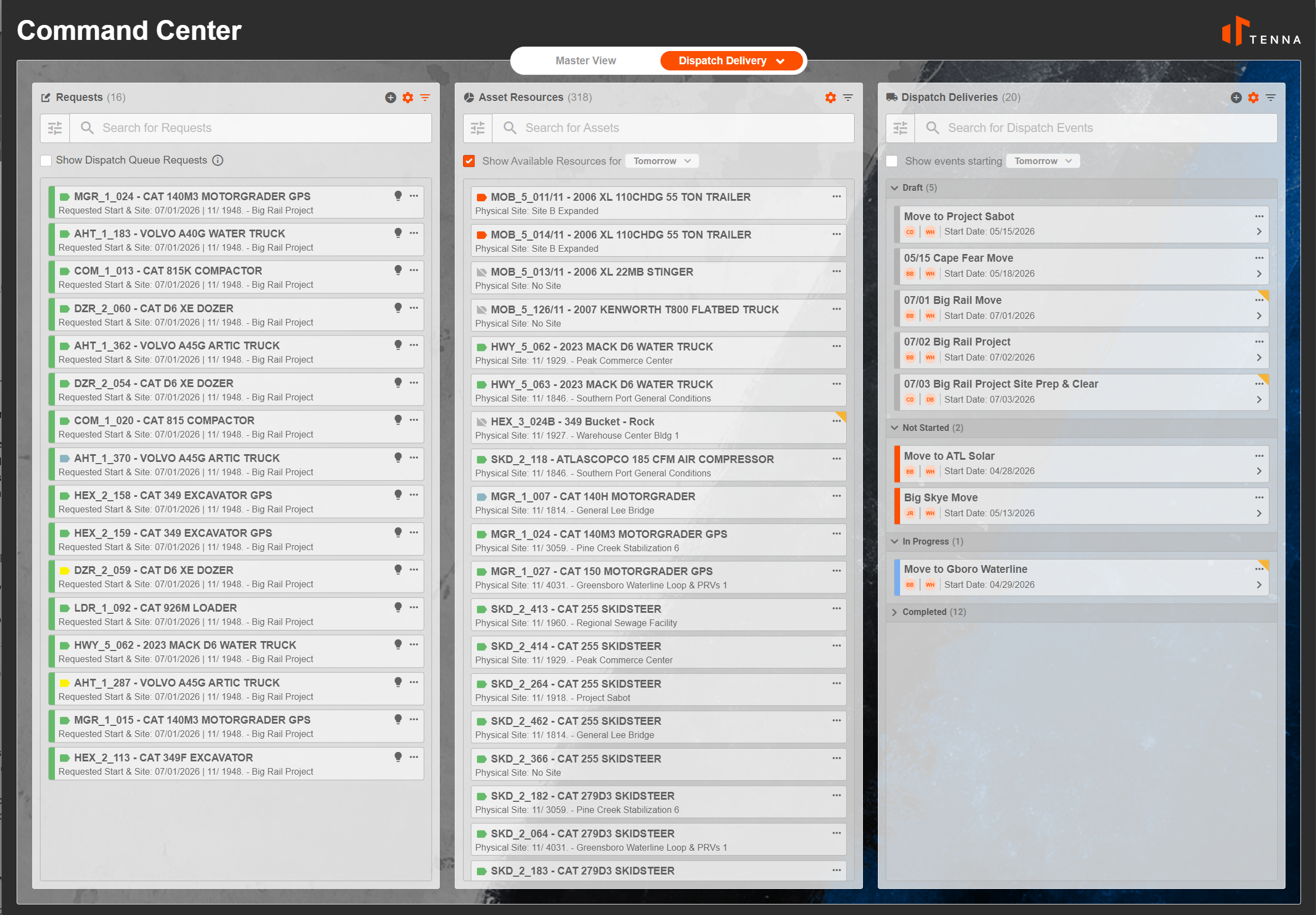
- Review and approve incoming requests from sites
- Quickly respond to urgent needs and dispatch swiftly
- Support both specific requests (i.e., "we need Forklift #42") and general requests (i.e., "we need any forklift rated for 5,000 lbs.")
- Add Requests and Assets
Location-Aware Dispatching
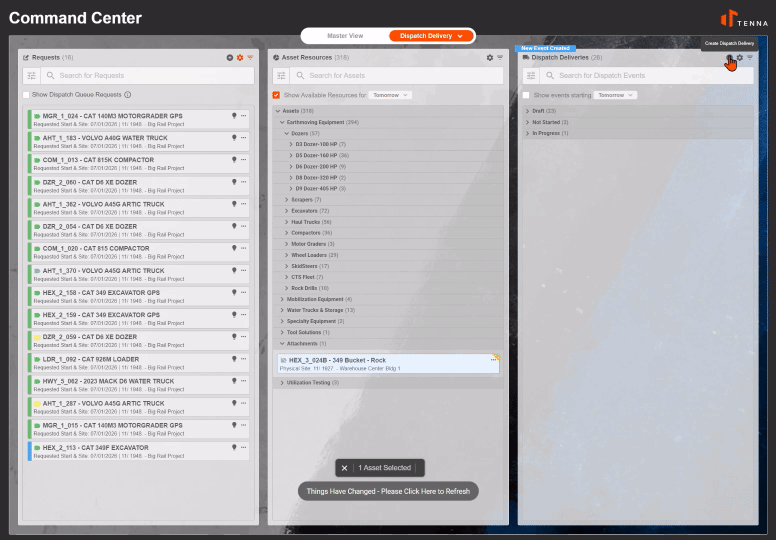
- Define both pickup locations and destinations for each dispatch
- Transfer resources between sites
- Track equipment and crews as they move through your operation
Dispatch Event Lifecycle
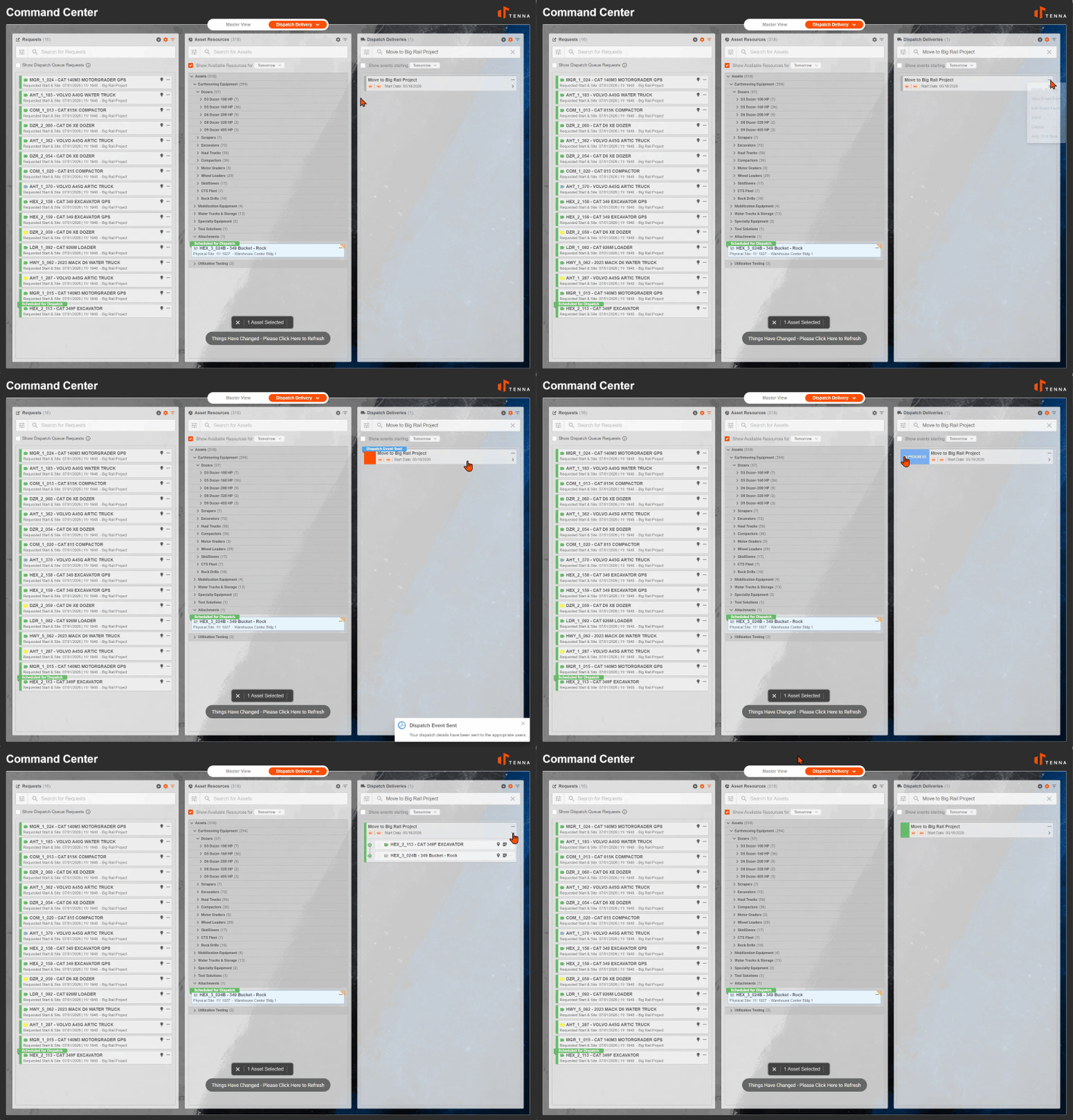
- Create new dispatch events for deliveries or tasks
- Build multi-stop itineraries with drag-and-drop/reorder stops to optimize routes
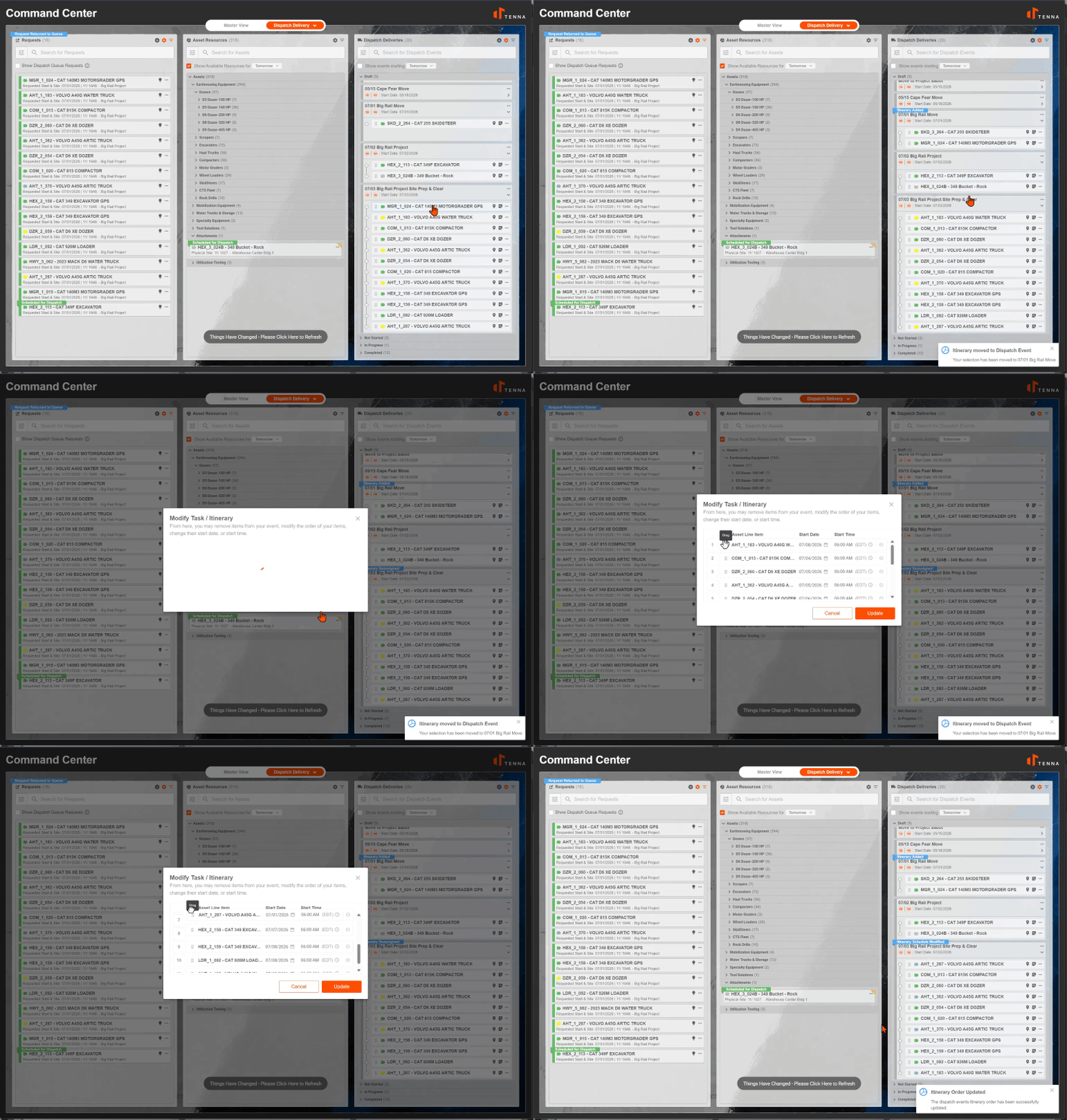
- Add notes to communicate with drivers and field teams
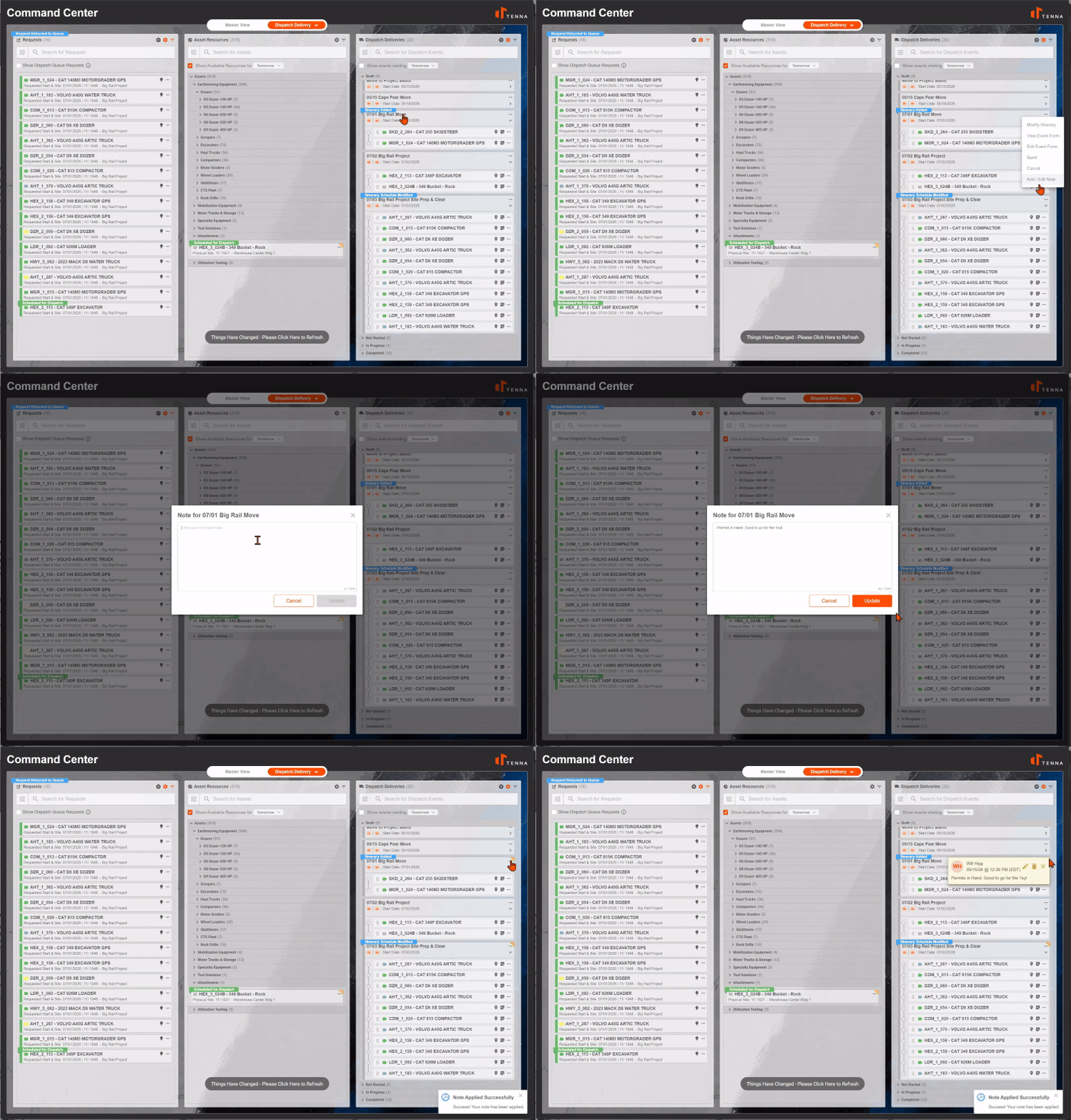
- Monitor events as drivers or laborers update their status and track completion in real time
Asset Tasks
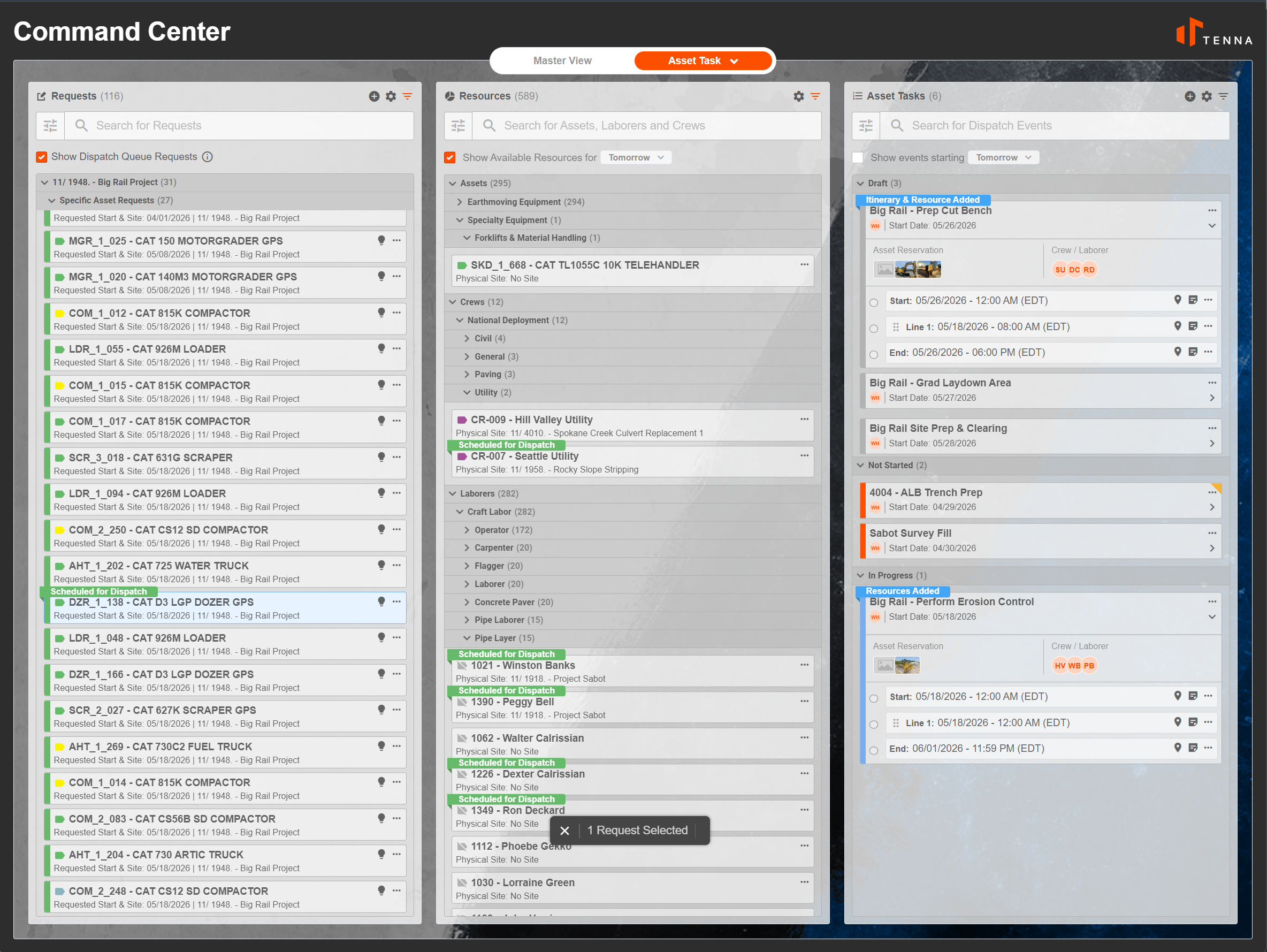
Request Processing
- Review and approve incoming requests from sites
- Define Onsite Tasks to be Performed. Keep deployed resources on track
- Supports specific requests, specific labor requests , and crew requests
- Add Requests, Assets, Laborers, and Crews as resources to the Event
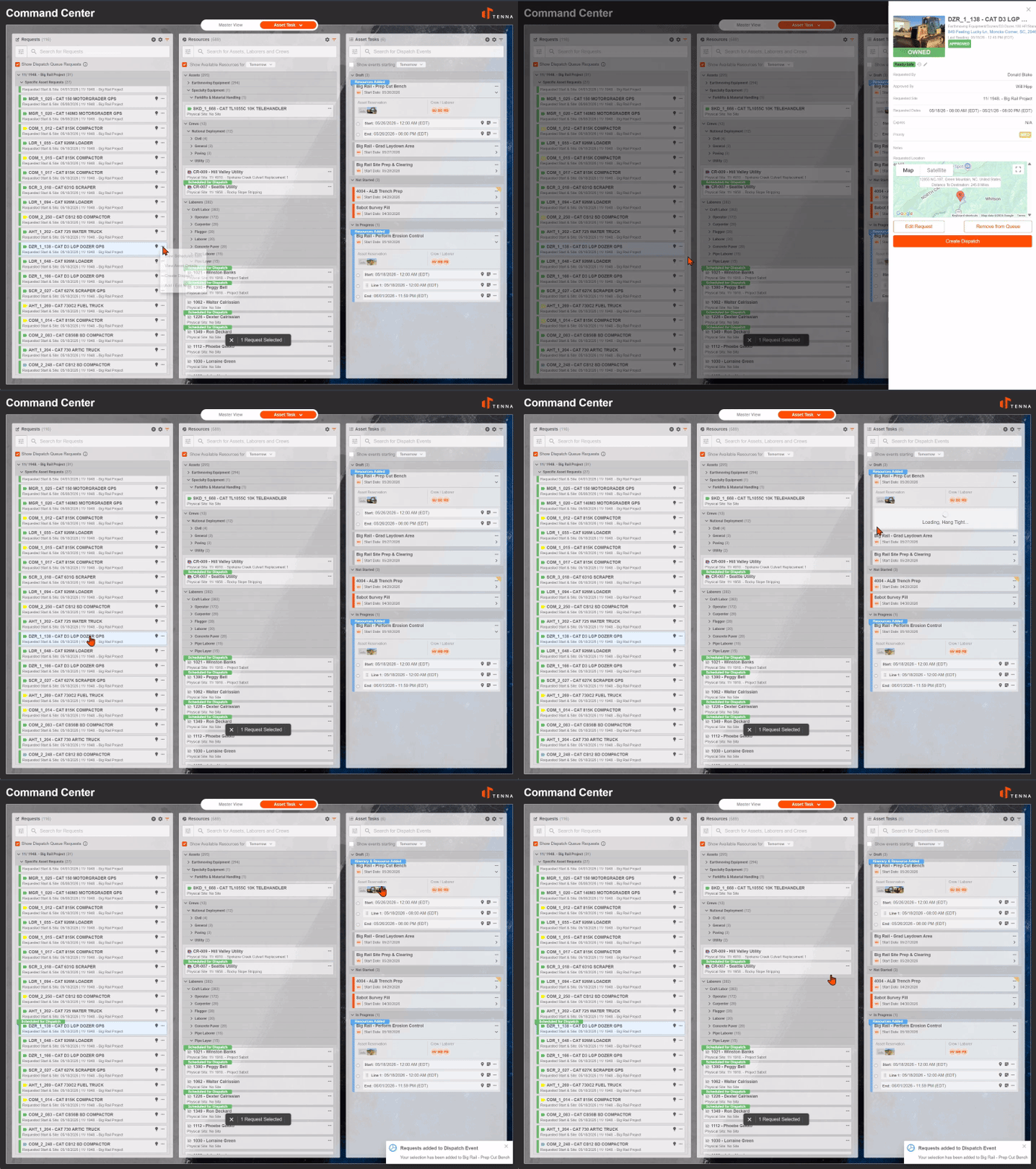
Location-Aware Dispatching
- Define both tasks and scheduled locations for each dispatch
- Transfer resources between sites
- Track equipment, laborers, and crews as they move through your operation
Labor Tasks
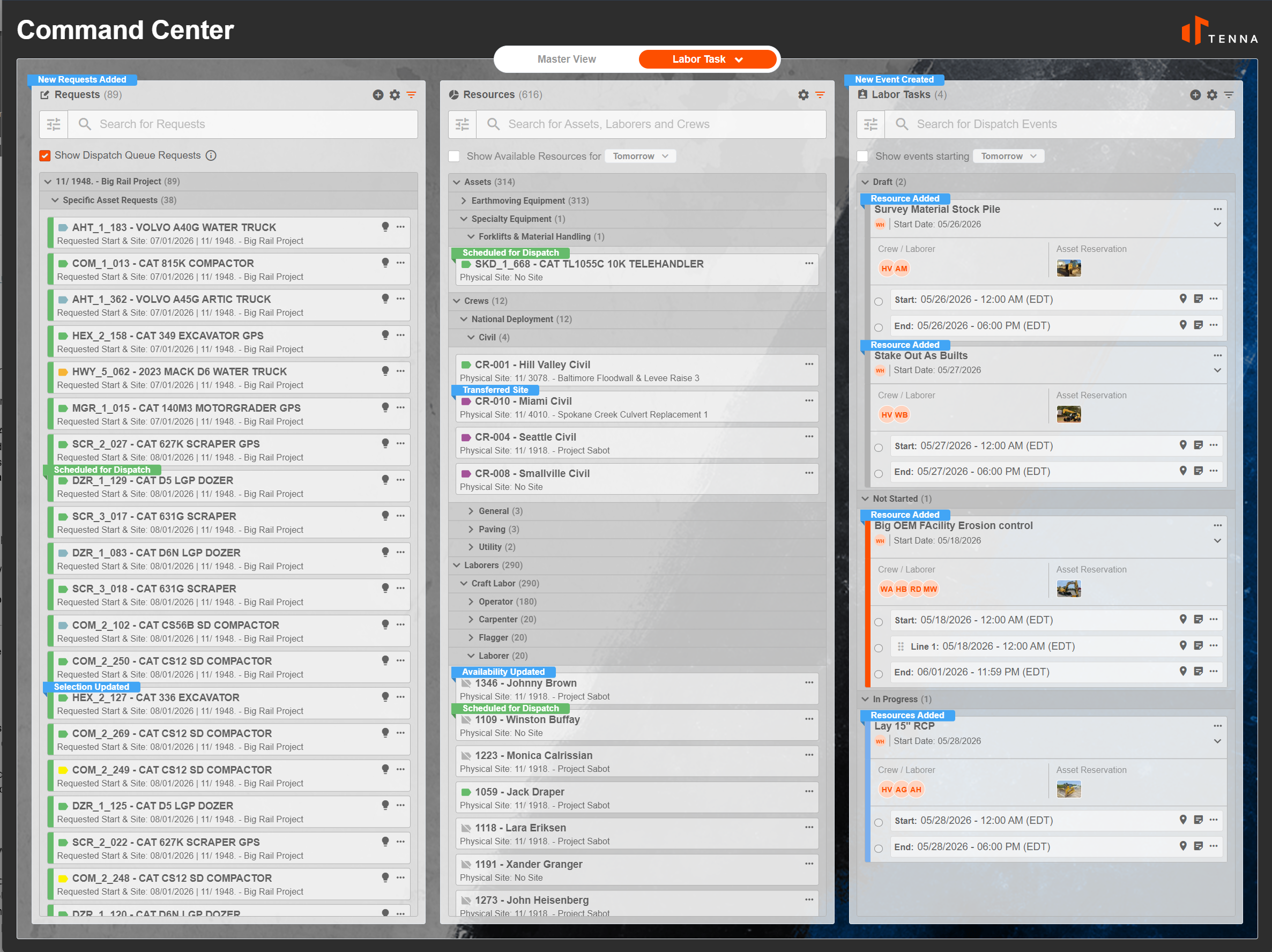
Request Processing
- Review and approve incoming requests from sites
- Define onsite tasks to be performed. Keep deployed resources on track
- Supports specific requests, specific labor requests, and crew requests
- Add Requests, Assets, Laborers, and Crews as resources to the event
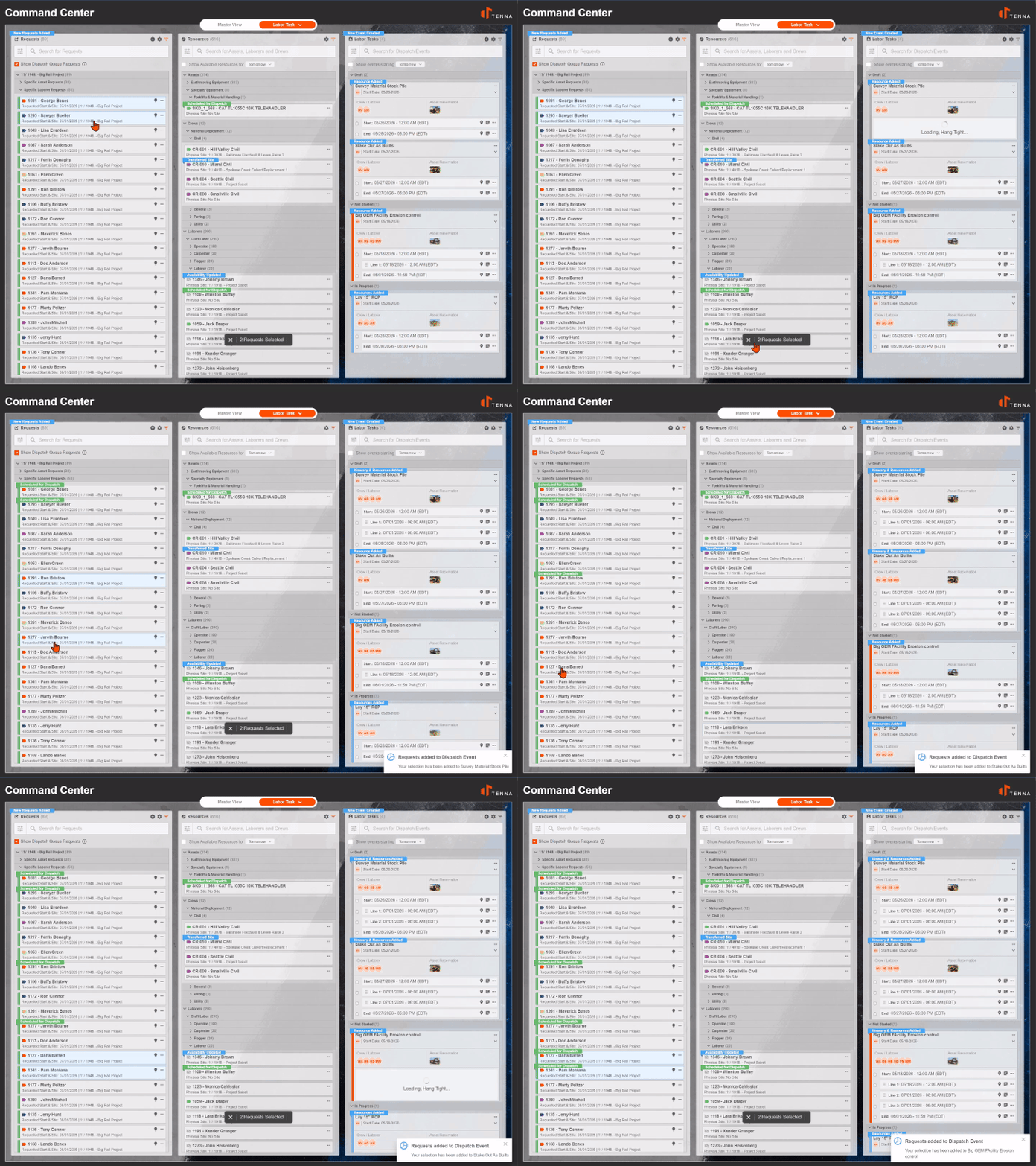
Location-Aware Dispatching
- Define both tasks and scheduled locations for each dispatch
- Transfer resources between sites
- Track equipment, laborers, and crews as they move through your operation